Study Material Download Safely and Legally Guide
Learn how to handle study material download safely and legally, find course-specific resources, organize files, and avoid copyright risks.
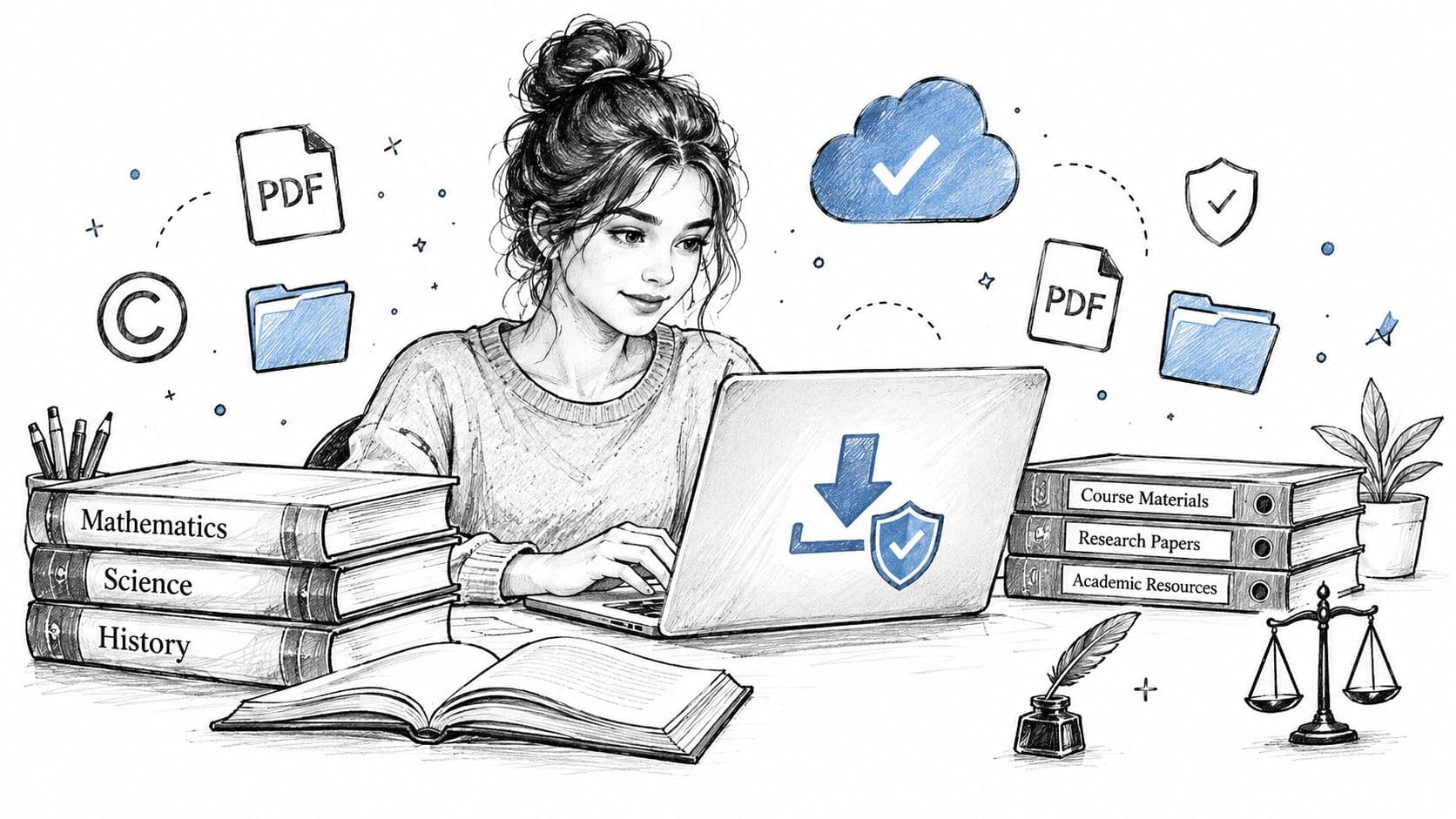
You're staring at a deadline, and the search bar is filling with the same frustrated query again, study material download. You don't need “everything about biology” or a random pile of notes. You need the exact file for your course, the right year, and a version you can trust before the exam pressure kicks in.
That's why the smartest approach is narrower than most students expect. Start with the course, not the topic. Check whether the file is legal to use, whether it matches your module, and whether you can save it for offline study without creating a copyright problem later.
Practical rule: if a resource doesn't clearly show the course, year, and source, treat it as unverified until you can confirm those details.
Finding Study Materials Without the Stress
A student in week 10 often needs one missing handout, one past paper, or one revision guide for a single module. A broad search usually returns oversized subject pages, and that turns a quick task into too much scrolling. A calmer search starts with the exact class, then checks the file before you save it.
That care matters most during revision season. A study on digital course materials found that students moved quickly once files were easy to access in downloadable form, and that they still returned to their course platform across terms. Source study on digital course materials (opens in a new tab) The lesson is simple, file access helps only when it also stays tied to the right course and the right version.
Start with the exact question
If you are looking for a study material download, ask three things before you click.
- What course am I in? Match the course code, module title, or exam board first.
- What format do I need? A PDF is often easier for printing and annotation, while other formats can work better on a phone or tablet.
- Do I need this now or later? If you want offline revision, download only after you have checked the source and previewed the content.
The legal line matters here too. A file can be safe to keep for personal study and still not be safe to share, repost, or upload elsewhere. That is why course-specific retrieval is better than collecting random files. Start with the exact document tied to your lecture series or exam plan, verify the source, then save only what you are allowed to keep.
Where to Legally Find Downloadable Study Materials
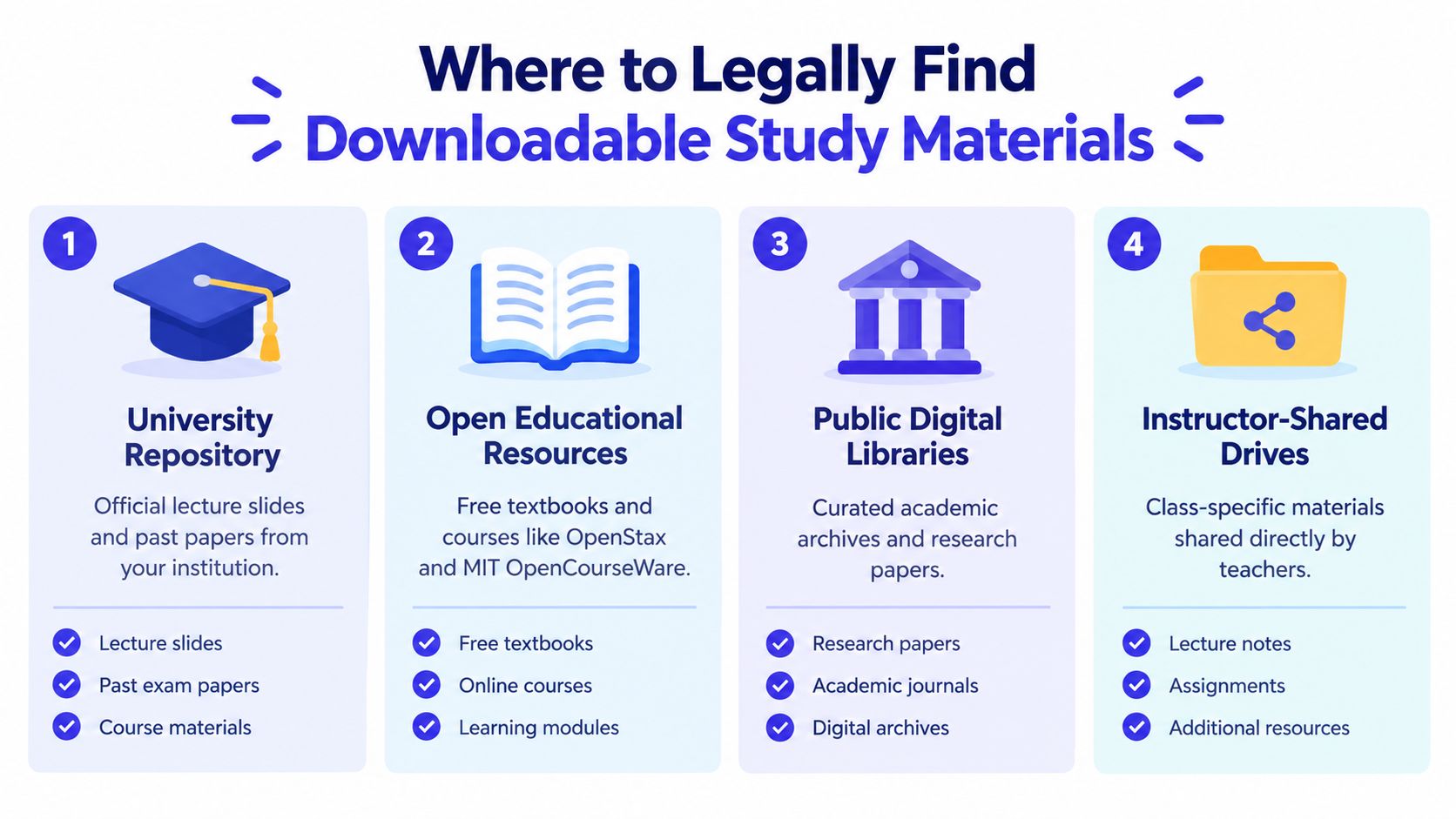
The safest downloads usually come from places that show you what you're getting before you commit. Large scholarly repositories can work well when they're well indexed. One repository study found that about 86% of deposited papers were downloaded at least once, and the average paper was downloaded over 26 times, which suggests discoverability improves when metadata is strong and the file is easy to find. That same work also warns that download logs don't prove the user got the intended full text, so preview and link checks matter. Repository usage study (opens in a new tab)
Compare the usual legitimate options
A course-specific platform can also help when the search needs are narrower than a full library. One example is CramShare's study notes PDF page, which sits closer to the kind of module-focused search many students want. The key isn't the brand name, though. It's whether the source shows the course, the file type, and enough preview detail to make a safe decision.
Check the source before you trust the file
A preview is better than a blind download. Look at the title page, the author or instructor name, the publication year, and any module code that appears in the file metadata. If the platform doesn't let you verify those basics, move on.
A good source reduces guesswork. A bad one makes you download first and discover the mismatch later.
How to Download the Right File for Your Exact Course
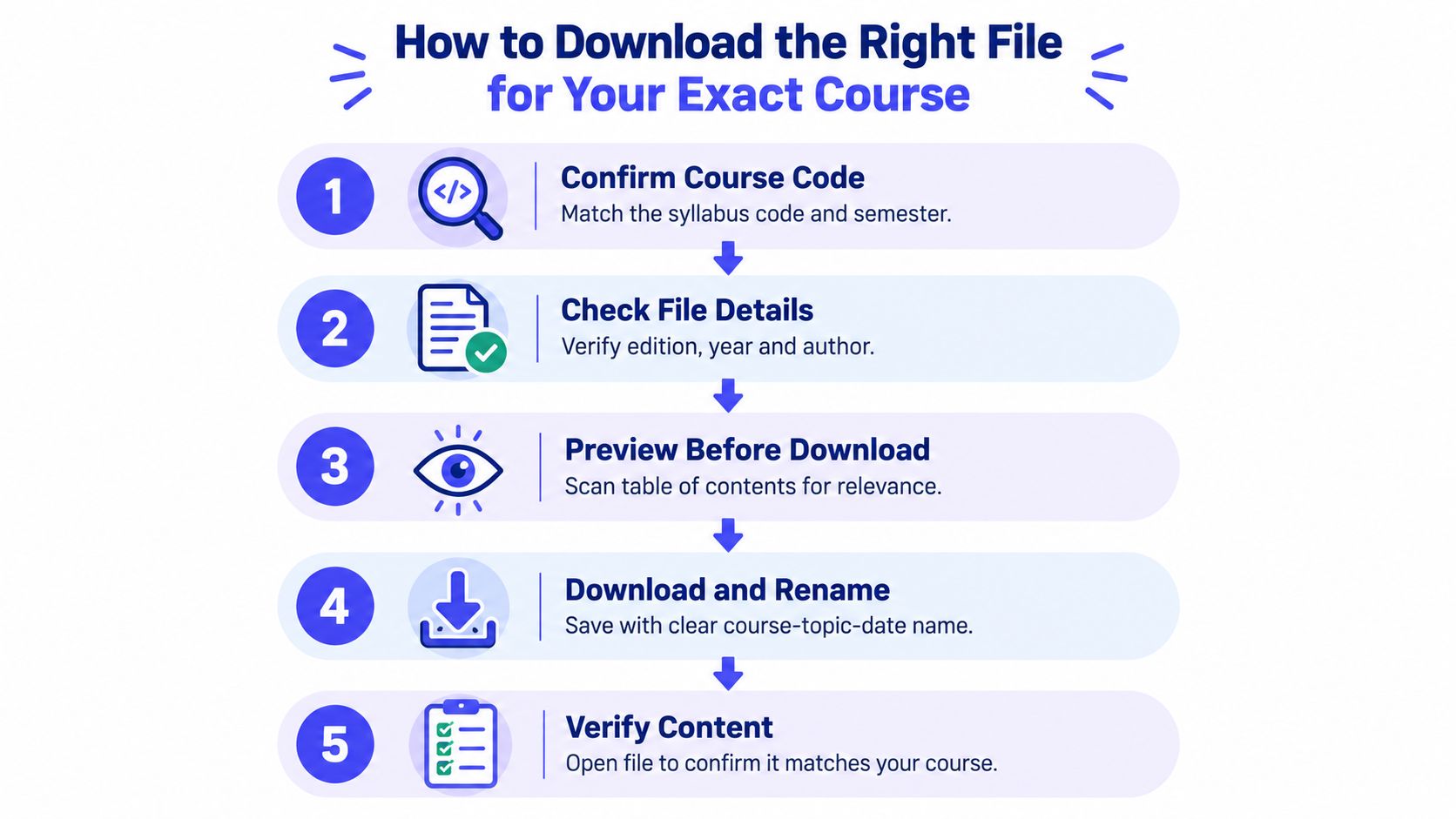
A rushed download often creates more work later. Students end up with the wrong semester, the wrong module pack, or a file they cannot open on the device they use for revision. A better workflow follows the course first, then the file format, then the save step, so you can study offline without returning to the search page every few minutes. Official guidance also points students toward a direct path, identify the exact course or module, open the relevant file, then save it for offline use, because that reduces browsing time and keeps access available when the connection drops. Official study material guidance (opens in a new tab)
Follow the file, not the category
Start with the exact course code, module title, and academic year. A file named “Psychology notes” may be useful in a broad search, but it is too vague if your syllabus points to one semester and one assessment track. A file that names the module and year gives you a clearer match before you download.
Then check the format with purpose. PDFs usually suit reading, highlighting, and printing, so they are often the safest default when you need one copy you can keep and revisit. Other formats can still make sense if your device or study routine favors them, but the choice should serve the course task, not just the search result. Digital course materials study (opens in a new tab)
A quick decision sequence that prevents mistakes
- Confirm the course code. Match the syllabus, not only the subject name.
- Check the year. Older notes can still help if they fit your current course structure.
- Preview the contents. Skim the title page, table of contents, or sample pages.
- Download and rename the file. Use a clear name you can search later, such as course-topic-year.
- Open it right away. Make sure the file matches the course before you file it away.
Exam season changes how students search. People are more likely to grab the first file they see, then sort out the mismatch later. A calmer approach is to treat the download like checking a book off a shelf, verify the label, confirm the contents, then keep only what belongs to that course. Research on digital textbook use in Korea also shows that downloads rise sharply around the times students need materials most, which fits the pattern of last-minute searching and repeated access during high-pressure study periods. Korean digital textbook study
Watch the video on YouTube (opens in a new tab)
Staying Safe and Respecting Copyright When You Download
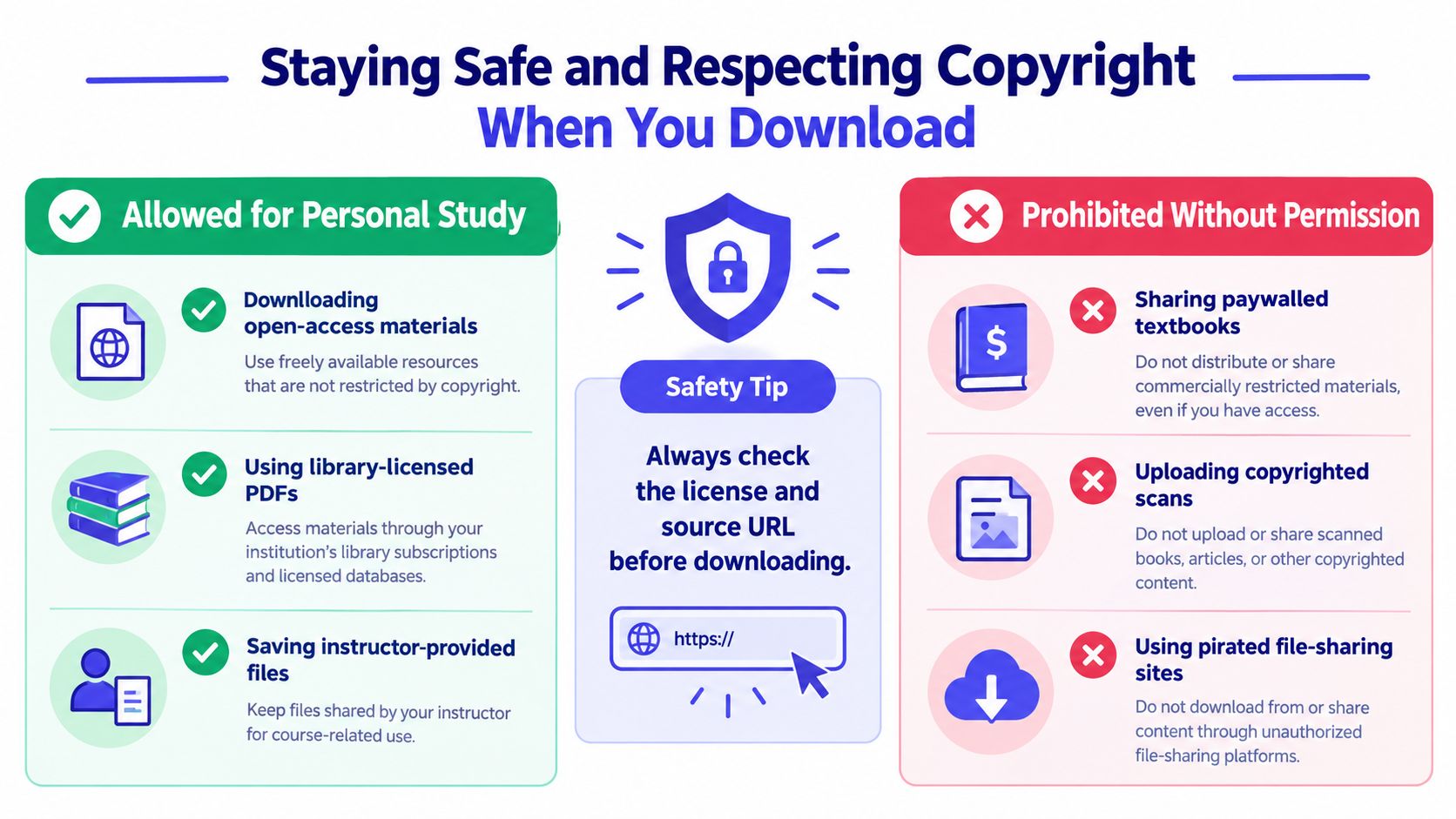
A lot of students assume that if a file is online, it's free to keep, upload, or share. That assumption causes trouble fast. University guidance makes the legal line narrow, students may usually make only limited copies for personal study, but sharing, uploading, or selling lecture slides, exam questions, and course packs is prohibited without permission. University copyright guidance for students (opens in a new tab)
What personal use usually looks like
Keeping a file for your own revision is one thing. Sending the same file to a class group or reposting it on a public drive is another. Self-written notes are the safest to share because they're your own work, while summaries that copy lecturer wording too closely can create risk if they reproduce protected material verbatim.
Academic integrity and copyright overlap. If you want a concise reference on that boundary, CramShare's academic integrity guide is useful for understanding why “found online” doesn't automatically mean “safe to redistribute.”
Red flags that should slow you down
- No clear source: If the upload doesn't show who created it or where it came from, don't treat it as reliable.
- Obvious paywall bypassing: If a file looks like a copied textbook scan from an unofficial site, that's a warning sign.
- No course match: If the document doesn't identify the exact module, year, or instructor, the odds of a wrong or risky file go up.
- No license or permission note: Open materials should make reuse terms visible.
Exam season makes people rush, and that's when precision matters most. A recent analysis reported that in the U.K., searches for “past papers” reach 75% of their annual peak about 9.5 days before the first GCSE exam. That points to a short, intense search window where students want the exact paper, mark scheme, or revision guide, not a broad topic dump. Exam-season search timing analysis (opens in a new tab)
Safety tip: check the license and the source URL before you download, especially when the file is meant to be shared within a class.
Organizing and Managing Your Downloaded Study Files
Ten minutes before a seminar, you open your downloads folder and see “final,” “final2,” and “new notes.” Finding the correct reading becomes a scavenger hunt. A simple filing system works like a library catalogue: each resource has a clear place, label, and version.
Build folders around your course
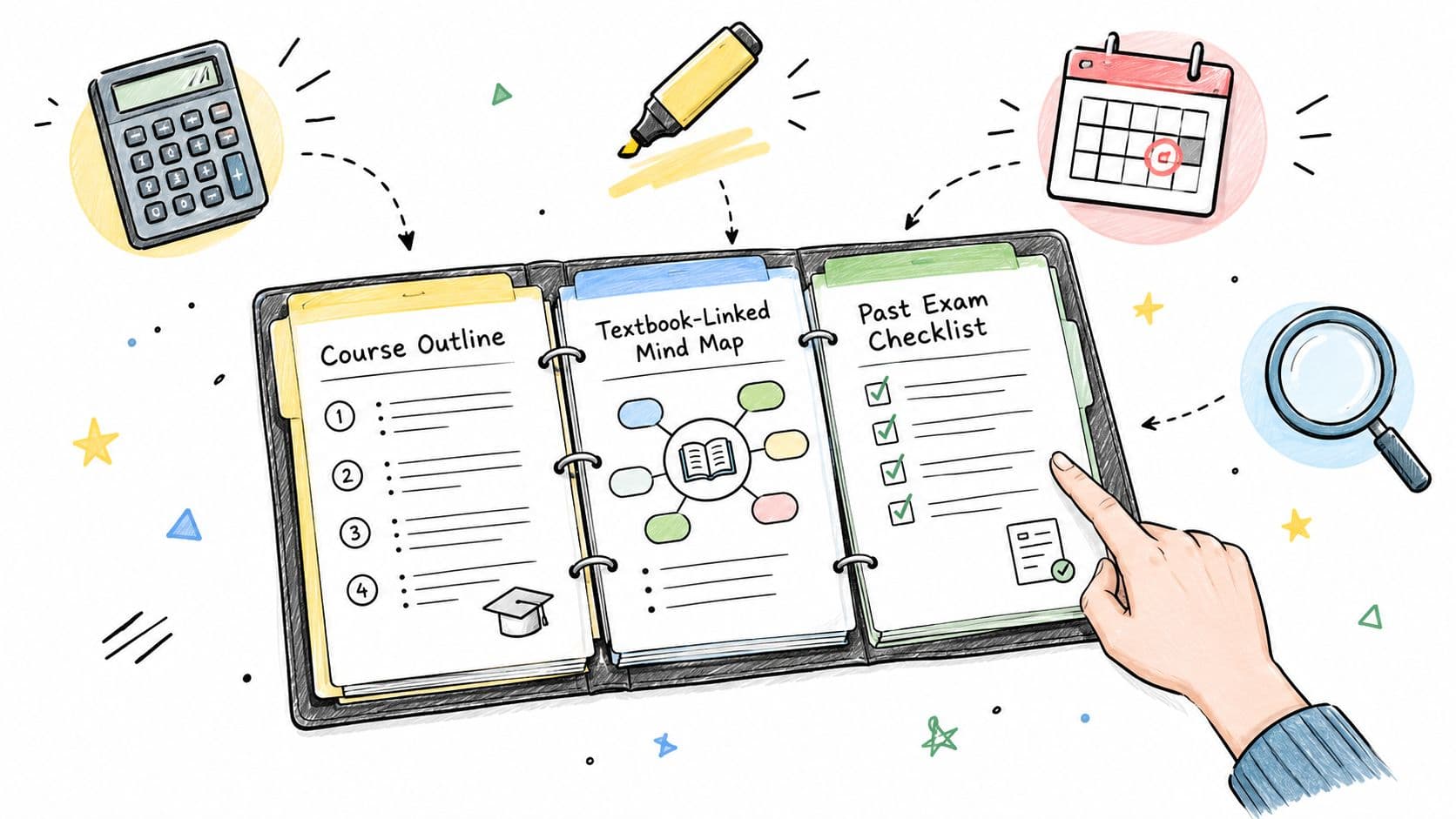
Start with the semester, then create one folder for each module. Within each module, separate lecture notes, readings, past papers, and revision guides. This course-specific structure helps you identify duplicates and retrieve the exact material during exam season, instead of searching through one crowded downloads folder.
Use a consistent file name containing the course code, topic, year, and format. ECON101_MarketStructures_2024_PDF is far easier to identify than new notes. Add the instructor or assessment name when several versions cover the same topic.
A useful retrieval routine is to review each module folder before revision becomes urgent. Confirm that the file matches your current course outline, then place high-priority readings and past papers in a clearly named exam folder. Keep downloaded materials for your own study where the licence permits it, but do not upload or share copyrighted readings beyond the permission given by the rights holder. A folder label cannot change what the licence allows.
Keep formats and versions clear
PDF may suit printing, while ePub or mobi may work better on an e-reader. Keep the format that fits your device and study method, but preserve the original file before converting or annotating it.
- Rename on arrival: Apply the file name pattern immediately.
- Back up once: Save a copy in approved cloud storage or a second device folder.
- Tag or annotate: Mark files you have read, highlighted, or printed.
- Delete duplicates: Retain one clearly identified master copy.
If you write on a PDF, keep an untouched backup. Your annotations can then change without affecting the source, and you can return to the original if the reading list changes. For a related method, see note-taking from textbook material. Keep the source, your notes, and your condensed exam version visibly distinct.
Your Next Download Done Right
A safe study material download usually comes down to three habits. Search by the exact course, verify the file before you save it, and respect copyright limits when you decide what you can keep or share. If you do those three things, you'll waste less time and lower the risk of using the wrong material at the worst possible moment.
The pattern is consistent across the examples above. High-usage repositories work when the files are well indexed, course-specific retrieval works when you match the module first, and legal confidence starts when you know the difference between personal study and redistribution. That combination is what turns downloading from a stressful scramble into a manageable study routine.
Keep one short checklist in mind for the next file you open. Match the course code, preview the first pages, confirm the source, and store the file in a folder you can find during exam week. That's enough to make the next download cleaner than the last one.
CramShare is built for course-specific study materials, so students can look for notes, summaries, and past papers by module, textbook, and academic year instead of browsing broad subject lists. If you want a more focused way to find and organize study resources, visit the platform and compare the course-level files available for your own classes.