8 Study Organization Methods for Course Notes in 2026
Compare 8 study organization methods for course notes, from course-code folder hierarchies to Cornell notes and spaced repetition, with setup tips for 2026.


You're taking five modules, your desktop is full of files named Lecture3_final_v2.pdf, and you can't remember which one explains the topic on the practice exam. There's a slide deck in Downloads, a photograph of handwritten notes on your phone, and a summary someone shared in the class chat. You have the material. You just can't connect it to the right course, lecture, and assessment.
That's why notes seem to disappear halfway through the term. The problem usually isn't a shortage of information. It's that you saved each document according to whatever made sense at the time, without giving your future self a reliable way to retrieve it.
Useful organization methods do more than make folders look tidy. They preserve course context, distinguish current teaching from older material, and help you turn what you've collected into something you can revise.
A useful system lets you find the relevant explanation and identify which syllabus it belongs to.
Start with the subject, the format, and when you'll use the notes again. Calculus often benefits from lecture order; a literature dissertation needs connections between ideas; pharmacology revision needs answerable prompts.
The eight methods below cover folder hierarchies, lecture sequences, Cornell notes, outlines, mind maps, thematic indexes, linked notes, and flashcard decks. Each has a concrete course-specific setup and a point where it stops working. You don't need a new app for every method, and you certainly don't need to adopt them all.
1. Course and Module Hierarchy (Institution > Course Code > Module > Year)
A course hierarchy is the most reliable home base when you're juggling unrelated modules. Start with Universite_X/FIN202/Corporate_Finance/Current_Academic_Year, rather than a broad folder called Business. The path tells you whose course the material belongs to, what it covers, and which cohort used it.
This structure also works across devices. Among digital-note users in a 2024 peer-reviewed study of undergraduate and postgraduate students (opens in a new tab), 27% used two to four devices, while 73% relied on one device. Give tablet exports, laptop documents, and scanned paper notes the same course identifiers instead of separate device folders.
The hierarchy below keeps the main course context visible.
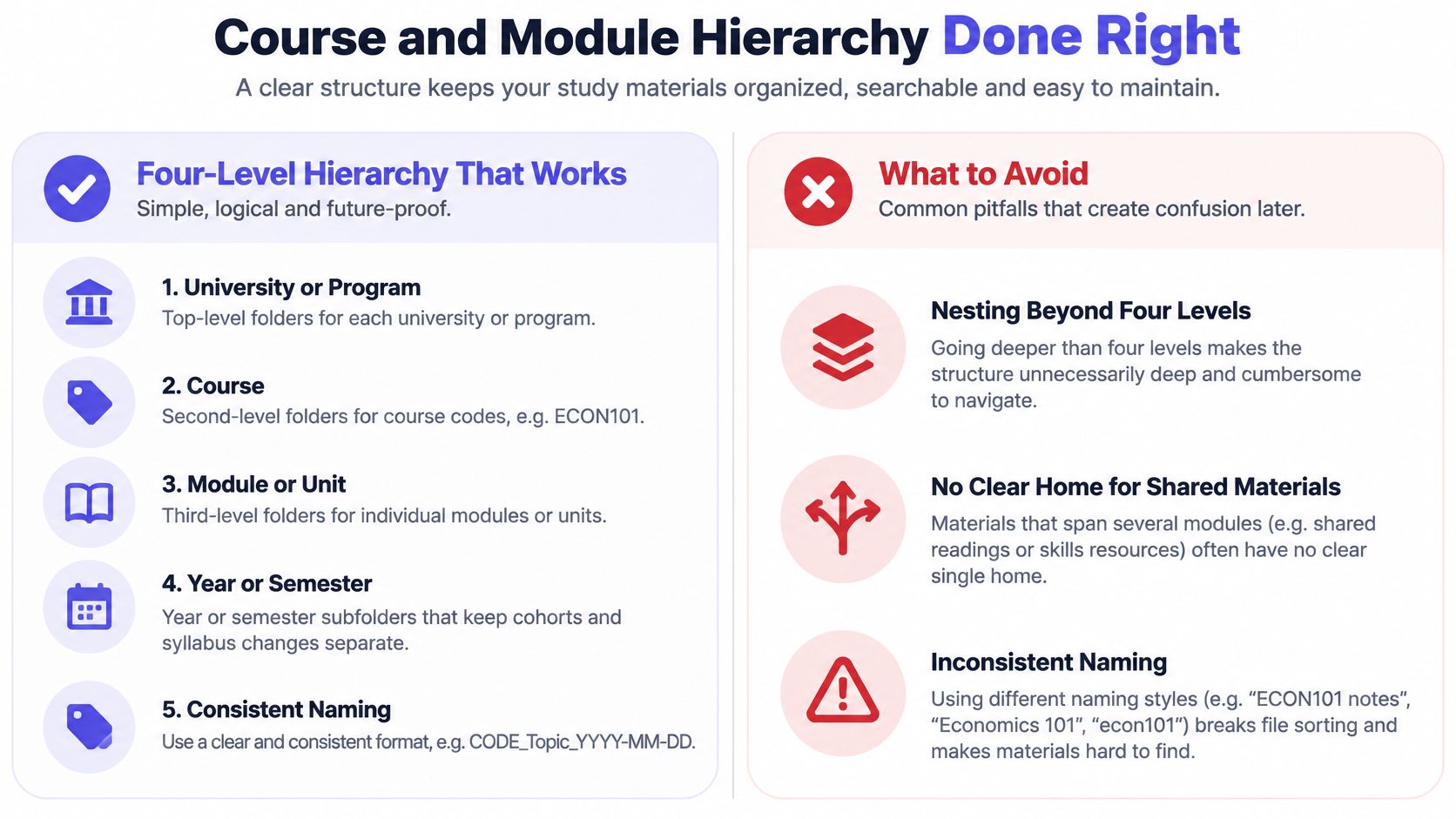
Keep the Path Shallow and the Labels Specific
Inside the academic-year folder, use clear filenames such as FIN202_L03_Discounted_Cash_Flow_Notes.pdf. If you need separate storage for assessment material, use Past_Papers rather than another vague folder called Resources.
- Record context: Add
README_Course_Context.mdwith the lecturer, syllabus version, textbook edition, and assessment format. - Match paper to digital: Label a binder
FIN202_Corporate_Finance_Current_Year, then use matching topic names on its dividers. - Archive intact: Move completed course folders into
Archivewithout stripping away their academic-year labels.
For a broader capture-and-filing workflow, use this guide to organizing course notes.
Where it stops working: A folder hierarchy can't tell you which lectures discuss the same concept. It also becomes cumbersome when you add layers for every resource type, lecturer, and topic. Keep the hierarchy as the storage backbone, then use an index for connections.
2. Chronological (Lecture-Sequence) Organization
Say your calculus lecturer introduces limits before derivatives and derivatives before integration. Keeping notes in that order preserves the prerequisites you'll need when a later worked example stops making sense. A topic-only folder can hide that teaching sequence.
Use names such as CALC101_L01_Limits, CALC101_L02_Derivatives, and CALC101_L03_Derivative_Applications. Put corresponding worksheets beside them with matching prefixes, such as CALC101_L02_Worksheet and CALC101_L02_Worked_Solutions. Zero-padded lecture numbers keep alphabetical sorting useful.
A weekly view can also help you connect handwritten sessions with digital files.
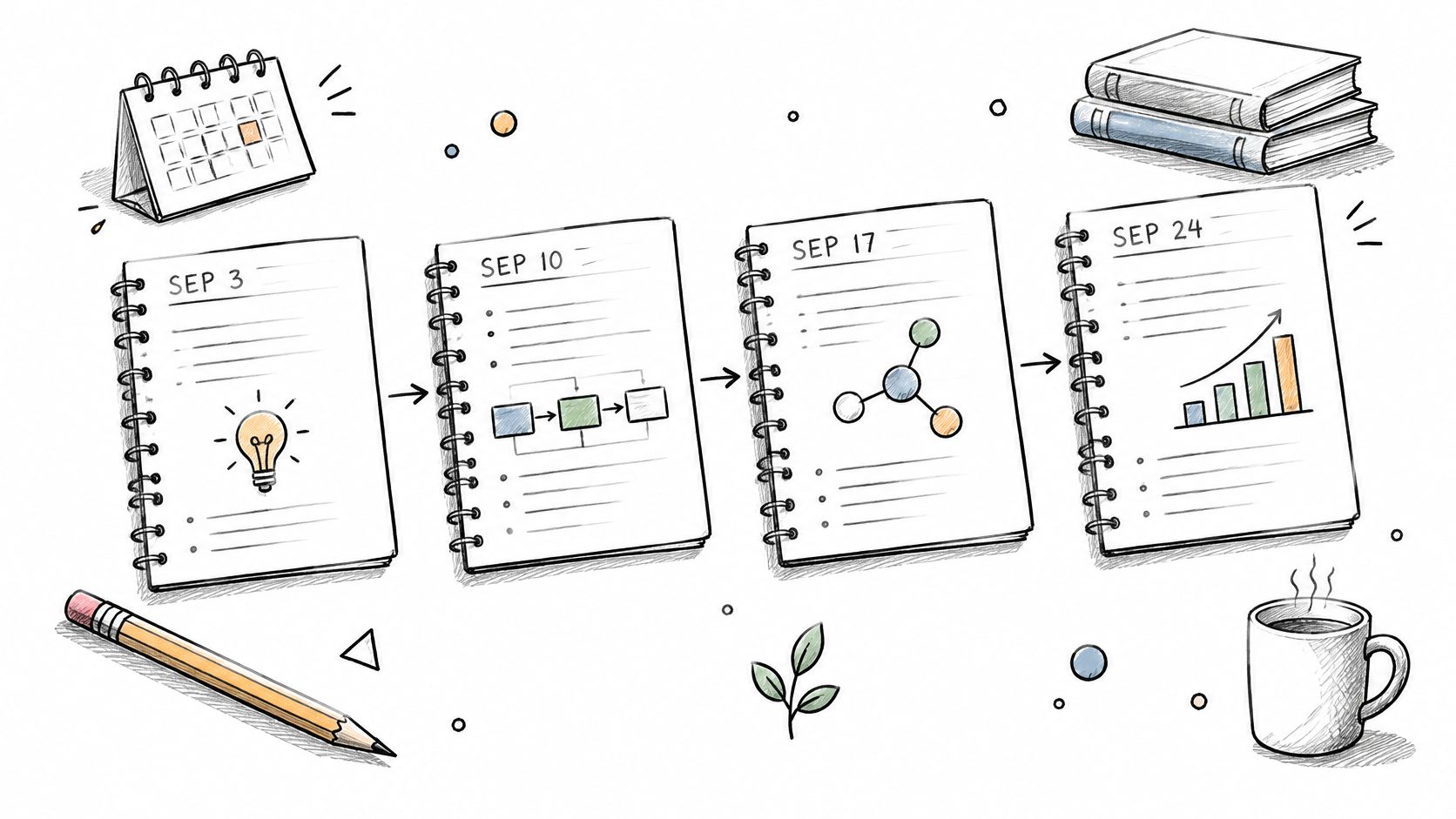
Preserve the Sequence Without Losing the Topic
At the top of each lecture note, write the course code, academic year, lecture title, and prerequisite topic. Add a short learning-outcomes summary in your own words. For programming, that might distinguish understanding recursion from tracing a recursive function or writing one independently.
Keep cancelled sessions and supplementary lectures identifiable instead of renumbering everything. A filename such as CS101_L07_Recursion_Supplement won't break existing references from your lab notes. For paper, write the lecture identifier on each sheet before removing it from a notebook.
Once you start revision, create CALC101_Topic_Index.md. Under Optimization, link the relevant derivative lecture, tutorial problems, and practice questions without moving the originals.
Where it stops working: Exams rarely ask you to reproduce the term in lecture order. Chronological organization becomes slow when you remember the concept but not the session where it appeared. It also needs fresh indexing across cohorts because lecturers may reorder topics even when the course code stays the same.
3. Cornell Note-Taking System
Cornell notes are useful when you can find your lecture files but still revise by rereading them. Divide the page into a cue column, a main notes area, and a summary area at the bottom. During class, capture explanations in the main area; afterward, write questions beside them and summarize the argument below.
For a law module, save the page as LAW204_L05_Duty_of_Care_Cornell.pdf. Include the academic year and relevant jurisdiction in the page header, so an exported sheet doesn't become detached from its course context.
The format works on paper or in a reusable digital template. A 2026 study of university students (opens in a new tab) found that digital note-taking was valued for convenience, accessibility, multimedia integration, and organization, while handwritten notes were perceived to support memory, concentration, and deeper processing. Choose the capture format that helps you think, then make its output findable.
Write Cues That Require an Answer
A cue such as Duty of care is only a label. Which facts establish a duty of care in this problem? requires you to explain something. Cover the main notes area, answer the cue independently, and check what you missed.
Practical rule: Scan handwritten notes for storage, but write the recall questions yourself. A searchable scan isn't a revision session.
Complete the cues and summary while the lecture is still fresh, ideally before the next session. Add a summary line to LAW204_Module_Index.md so you can locate the page by principle rather than filename alone. This guide to note-taking layouts can help you choose a workable page template.
Where it stops working: Dense derivations, detailed diagrams, and rapid demonstrations can overwhelm the layout. Capture those freely, then build Cornell-style questions around the finished explanation rather than forcing everything into narrow columns.
4. Outline Method
An outline suits lectures where the lecturer explains a topic, divides it into categories, and gives supporting examples. In biology, your main heading might be Cell Structure, with subheadings for organelles and nested points for their functions. That structure is faster to maintain than a decorative page layout.
Create BIO110_L04_Cell_Structure_Outline.docx inside the correct academic-year folder. Use actual heading styles in Word, Google Docs, or your notes app, rather than making ordinary text bold. Collapsible headings and document navigation then let you move directly to mitochondria without scrolling through the whole lecture.
Separate Explanations From Evidence and Examples
Under each concept, distinguish the definition, mechanism, worked example, and lecturer's assessment guidance. Otherwise, a quick classroom illustration can end up looking like a universal rule.
- Preserve provenance: Label additions as lecture material, textbook clarification, or your own interpretation.
- Use consistent headings: Keep
Assumptions,Mechanism, andLimitationswherever those categories apply. - Build a module overview: Create
BIO110_Module_Outline.mdwith links to lecture outlines, not copied versions of every paragraph.
An economics student could outline a model under Assumptions, Graph, Predicted_Outcome, and Exceptions. Before exams, turn those headings into prompts: explain an assumption, reconstruct the graph, or identify when the prediction fails. Don't spend revision time merely adjusting indentation.
Where it stops working: Outlines struggle with concepts that influence each other in several directions. They can also make an uncertain explanation look settled because the headings appear orderly. If you can't explain why a detail belongs under a heading, mark the uncertainty and resolve it before adding the outline to your revision overview.
5. Mind Mapping
When your psychology notes contain encoding, storage, retrieval, working memory, and competing theories, a list may hide the relationships. A mind map gives you a place to show how those ideas connect. Start with Memory in the centre, then branch into processes, models, evidence, and applications.
Use the visual as a relationship guide, not a substitute for detailed explanations.

Save the editable map as PSY203_Memory_Concept_Map and export a readable copy into the same course folder. Put the course code, academic year, and relevant syllabus outcome on the canvas itself. That matters when you share or print the map, because the filename won't always travel with it.
Make Every Connection Explainable
Keep branch labels short, but label cross-links with meaningful relationships such as depends on, contrasts with, or provides evidence for. An unexplained arrow isn't enough. Link each major branch to a detailed outline or source note where the qualifications belong.
Use XMind, a whiteboard, or plain paper according to how easily you can revise the map. After studying, redraw the main relationships from memory and compare the result with your reference version. Missing connections are more useful to notice than differences in colour or layout.
For a demonstration of the mapping process, use the video below.
Watch the video on YouTube (opens in a new tab)
Where it stops working: Large maps become difficult to search, print, and update. Split sprawling topics into linked maps, and keep definitions in text files. Across cohorts, check that the same theory names still refer to the same required coverage before reusing an older map.
6. Thematic (Concept-Based) Organization
For exam revision, you often need everything about chemical equilibrium together, even if it appeared in lectures, practicals, and tutorials scattered across the term. Thematic organization creates that view without asking you to remember the teaching date.
Start with CHEM201/Revision_Themes/Chemical_Equilibrium/Index.md. Link the original lecture notes, your lab interpretation, textbook references, and permitted practice questions from this index. Don't move all the originals out of their lecture folders or create another collection of copies that you'll need to update separately.
The Findwise Enterprise Search and Findability Survey presentation (opens in a new tab) identifies taxonomies and structured metadata as useful foundations for findability. For course notes, apply that principle with consistent concept labels and explicit course context, rather than a miscellaneous Chemistry folder.
Connect Themes to Assessment Outcomes
Each theme index should identify the syllabus outcome, source location, resource type, and whether you've checked the material. Keep the lecturer's terminology as the main label and add common synonyms beneath it. That makes searching easier without changing what the course calls the topic.
Keep original files in their course homes. Use a thematic index to bring them together for revision.
A nursing student can create an Infection_Control_Overview across modules, but each linked resource must retain its originating module and year. Clinical skills guidance and microbiology explanations may support the same theme while answering different assessment questions.
Build these indexes as revision approaches, once you understand the course's main connections.
Where it stops working: Themes become misleading when they merge similar-sounding concepts from incompatible syllabi. A shared title doesn't guarantee shared definitions, required depth, or permitted methods. Keep course-specific branches wherever those differences affect the answer you're expected to give.
7. Zettelkasten (Linked Note System)
Linked notes are most useful when an idea needs to survive beyond the next exam. A postgraduate literature review, dissertation, or professional qualification can involve concepts that recur across modules and reading lists. Zettelkasten keeps a focused explanation in each note and connects it explicitly to related ideas.
For example, save RES501_Selection_Bias_Concept.md with an explanation written in your own words. Link it to notes on sampling, causal inference, and a relevant article critique. Explain the relationship in the surrounding sentence instead of adding a list of unexplained links.
The diagram below illustrates the connected structure.

Keep Course Entry Points in the Network
Obsidian works well for linked Markdown files, but ordinary documents with hyperlinks can also support this method. The essential work is explaining the idea and recording where it came from.
- Create an entry note: Use
RES501_Course_Index.mdto link required topics and assessment-relevant notes. - Retain source context: Record the reading, location within it, course, academic year, and any limits on the claim.
- Separate stable ideas from course guidance: Keep a general concept note distinct from instructions for a particular assignment.
For a literature review, this lets you gather connected arguments without pretending that every source makes the same claim. If a later course uses a different definition, record the distinction rather than overwriting the earlier note.
Where it stops working: A network becomes another dumping ground when you paste paragraphs into it without interpretation. It's also excessive for a short module whose main requirement is reproducing standard procedures. Use linked notes where connections help you develop an argument, not because a graph view looks impressive.
8. Spaced Repetition Deck Organization
A flashcard deck should tell you both what to recall and which course expects that answer. Start with a module deck such as PHAR201_Current_Year, then use topic tags such as drug_classes, mechanisms, and calculations. Add sub-decks only when you need separate review sessions.
Anki can schedule reviews according to your recall responses. Keep the source notes outside the deck, and add a source field such as PHAR201_L06_Antimicrobials_Notes.pdf, Resistance section. When a card seems ambiguous, you can return to the explanation instead of guessing what the author intended.
Write Cards That You Can Mark Honestly
For pharmacy, distinguish recalling a drug class from explaining its mechanism or solving a calculation. A card that asks for all of these at once is difficult to grade when you remember part of the answer. For languages, retain textbook-unit tags so vocabulary remains connected to the course sequence.
- Ask a focused question: Write a prompt with a clear answer rather than copying a paragraph onto the card back.
- Retain qualifications: Include relevant conditions, units, or exceptions needed to make the answer accurate.
- Maintain syllabus status: Suspend obsolete or out-of-scope cards instead of letting them fill your current review queue.
This comparison of spaced repetition tools can help you choose software that fits your material and devices. Whatever you choose, make review a regular habit rather than saving the whole deck for a long pre-exam session.
Where it stops working: Flashcards don't replace writing essays, solving unfamiliar problems, or practising clinical reasoning. Older cohorts' decks also need checking before reuse. Familiar terminology can conceal changed teaching, missing qualifications, or answers that don't match your current course.
How the 8 study organization methods compare for course-specific notes
Pick One System This Term and Build From It
Don't adopt all eight organization methods at once. Start with a course and module hierarchy, consistent filenames, and a short context file. That gives every lecture export, paper scan, and shared summary a predictable home without forcing you to redesign how you study.
Choose a note format inside that structure. Cornell works when you need help turning explanations into recall questions; an outline works when the lecturer presents material in a clear hierarchy. Keep diagrams, calculations, and demonstrations in whatever format lets you capture them accurately, then connect them to the course index.
Add Revision Tools When You Have Something to Revise
As exams approach, build a thematic index for concepts spread across lectures, or create spaced repetition cards for material you need to retrieve accurately. Don't copy the entire archive into either system. Select the explanations, questions, and procedures that match the assessment outcomes.
Test your setup with a real revision task. Find an explanation, identify its course and syllabus context, then answer a related question without looking at it. If finding the explanation is difficult, fix the labels; if answering is difficult, improve the practice rather than reorganizing the folders again.
Keep previous cohorts' resources separate from current teaching until you've compared them with the syllabus. Check the textbook edition, topic coverage, notation, and assessment format. An older document can be useful without being a reliable guide to everything your lecturer expects.
Before You Rebuild: Fix the point where retrieval fails. A missing course code needs a better label, not a new app.
AI can help suggest headings or restructure your own rough notes, but preserve the originals and verify every generated summary against them. Jisc's 2025 student perceptions of AI report (opens in a new tab) describes students using AI for organized notes and accessibility support, alongside concerns about unequal access and academic misconduct. Label AI-assisted sections, avoid uploading confidential or copyrighted material without permission, and follow your institution's rules, including those governing accommodations.
Course-matched resources, such as notes and revision materials on CramShare, can sit alongside your own work when you file them under the same course identifiers. We review documents for course match, but you should still compare their content with your current syllabus. Use and share materials only in line with copyright and academic-integrity rules.
The best setup is one you can maintain during a busy teaching week. Keep capture straightforward, preserve course context, and make revision require an answer rather than another round of filing.
CramShare offers a community library and marketplace for course-specific notes, summaries, revision guides, and practice materials. Visit CramShare to find resources by institution, course code, module, textbook, and academic year, then file relevant materials alongside your own course notes.