Student Study Notes That Actually Work: A Complete Guide
Learn how to use student study notes effectively, integrate peer resources into your workflow, and avoid common pitfalls with evidence-based strategies.
Students typically capture only about 11% to 40% of lecture content in their initial notes, so structure and active use matter far more than volume. The most useful student study notes aren't transcripts. They're clear, selective records that help you retrieve, explain, and apply ideas later.
Have you ever finished a lecture with pages of notes, then discovered that you couldn't explain the topic without looking at them? That experience exposes a common mistake: students often judge notes by how much they contain rather than by what they help the learner do.
A strong set of notes should answer questions, reveal relationships, support practice, and make gaps visible. Whether you write by hand, type into OneNote, organise material in Notion, or download course-specific resources, the test is the same: can these notes help you remember and use the knowledge independently?
Understanding What Makes Student Study Notes Effective
You leave a lecture with several pages filled, tidy headings, and perhaps highlighted definitions. A week later, the document looks familiar, but the subject still feels difficult. The notes exist, yet they haven't become knowledge.
That happens because recording information and processing information aren't the same activity. A review of college note-taking research found that students have recorded widely varying proportions of lecture ideas, from approximately 11% to 72%, with a more typical range of about 30% to 40% of lecture points. The review also cites a historical finding that 99% of college students took notes during lectures, showing that note-taking is not a new digital habit. The enduring purpose is to create an external record, but the usefulness of that record depends on its structure and meaning. The college note-taking review (opens in a new tab) explains why page count alone tells you very little.
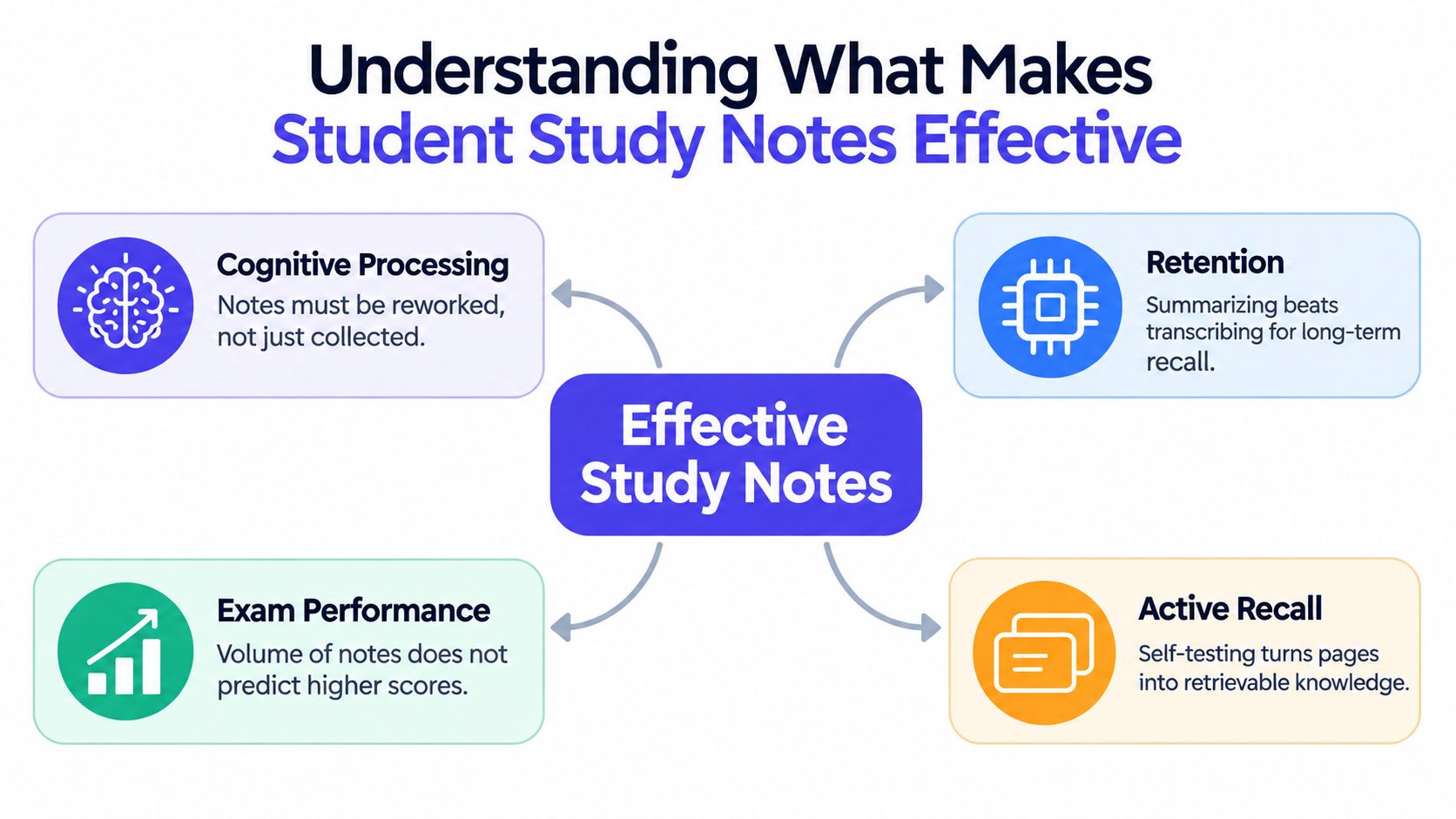
The four tests of useful notes
Use these questions to assess a document before you spend hours revising from it:
- Meaning: Does each important idea appear in language you understand, or is the page mostly copied terminology?
- Structure: Can you see how definitions, mechanisms, examples, and exceptions relate to one another?
- Coverage: Does the document reflect the learning objectives and assessment topics, rather than an isolated part of the lecture?
- Retrievability: Could you turn the headings into questions and answer them without looking?
A note set can be short and still be excellent. For example, a useful biology entry might define osmosis, explain the role of a concentration gradient, include a simple example, and ask what changes when the surrounding solution becomes more concentrated. A longer entry that repeats the textbook definition several times may offer less help during an exam.
Why digital organisation needs intellectual organisation
Digital notes are easy to search, edit, merge, and connect with readings. That makes accurate labels important. A file named only “Week 4 notes” may be difficult to identify later, while a title containing the module, topic, and lecture theme gives your future self a useful retrieval path.
A recent study of 123 undergraduate and postgraduate students, supported by focus groups involving 17 students, found that 94% of survey respondents took lecture notes. Among those note-takers, 69% used digital methods such as laptops or tablets. The sample was relatively small, so it shouldn't be treated as a universal estimate, but it does show why searchable electronic notes deserve careful course and topic organisation. The 2024 study of university note-taking practices (opens in a new tab) provides that directly measured context.
Digital convenience doesn't automatically create deeper learning. If your notes preserve every sentence but don't show the central claim, supporting reason, or practical implication, you've built an archive rather than a revision tool.
Practical rule: Keep the information that helps you answer “what,” “why,” “how,” and “when would this change?”
Handwritten versus Digital Note-Taking for Long-Term Learning
The choice between handwriting and typing isn't a simple contest with one universal winner. It depends on what you're trying to do at each stage. Typing can help you capture a fast lecture, search a large module, and combine notes with readings. Handwriting can slow you down enough to make decisions about what deserves attention.
In a study of 65 college students watching unfamiliar TED Talks, laptop users produced more words and more verbatim overlap with the presentations, but performed significantly worse on conceptual questions. Students who wrote by hand retained an advantage even one week later after reviewing their notes. The likely explanation is generative encoding. Writing at a slower pace encourages selection, paraphrasing, and organisation instead of automatic transcription. The Psychological Science summary of the note-taking research (opens in a new tab) describes this contrast and also notes that another controlled study of 68 students found no significant recall difference between laptop, tablet, and handwritten groups, although laptop users produced substantially more text.
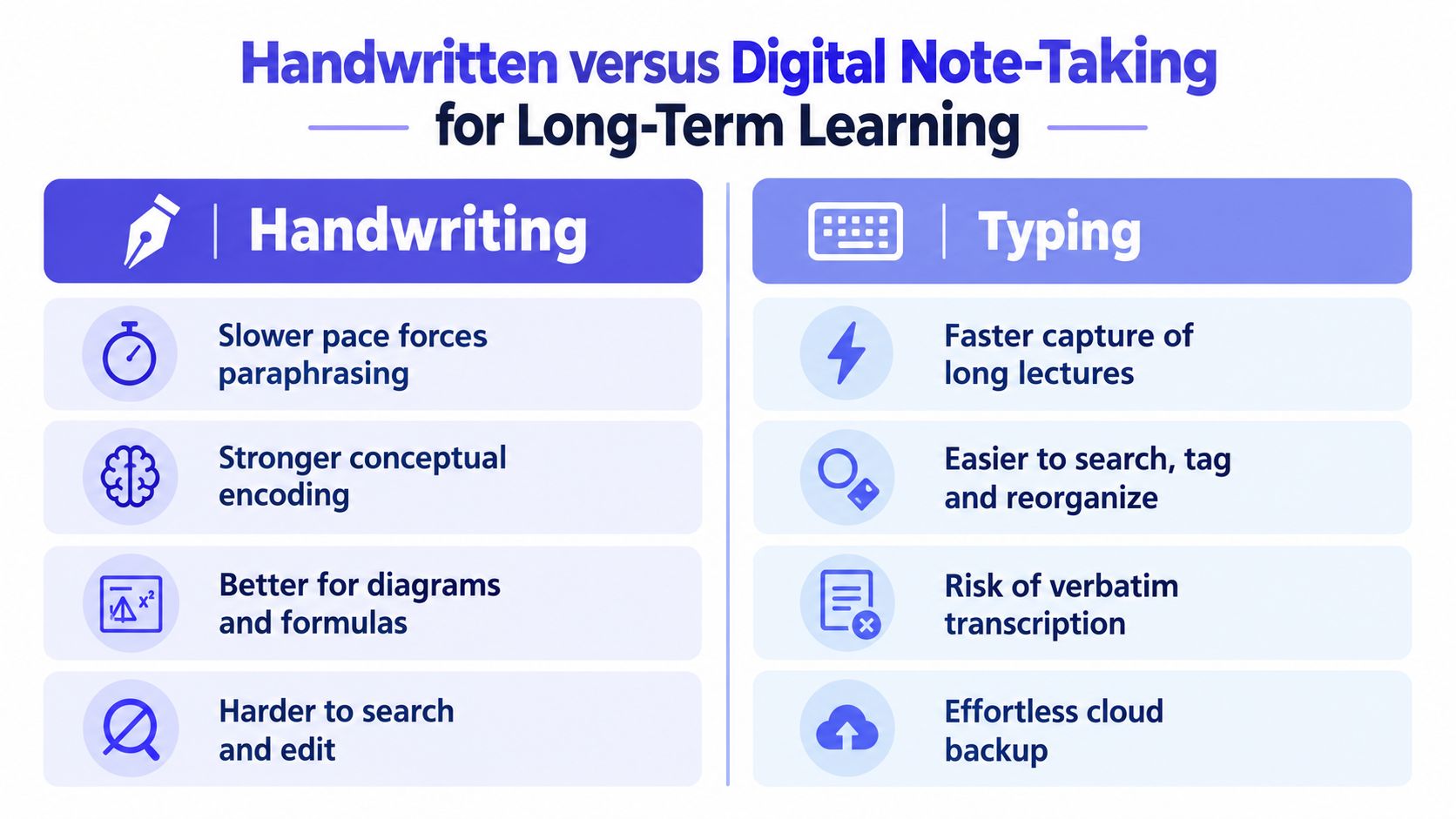
Choose the method by task
The critical distinction is active synthesis versus passive capture. If you type, don't let speed decide what enters the document. Listen for the claim, close explanation, example, and limitation. Then write a compact paraphrase such as, “The method works because X changes Y under condition Z,” rather than reproducing the lecturer's entire sentence.
If you write by hand, don't assume the slower process is enough. You can still copy without understanding. Add arrows between related ideas, mark uncertain points with a question symbol, and leave a small space for an example or later clarification.
A hybrid approach often works best
You might handwrite a first-pass concept map during a difficult lecture, then create a searchable digital summary afterward. Or you might type during class but convert every major heading into a question before closing the document.
The best method is the one that makes you select, explain, and retrieve. For a closer look at how research can inform practical choices, consult this guide to note-taking research, then test the method against your own practice questions rather than judging it by comfort.
How to Use Peer Notes Without Losing Independence
Peer notes can fill a genuine gap. Perhaps you missed a lecture, your own diagram is unreadable, or another student explained a difficult theory more clearly. The danger begins when borrowed notes become a replacement for thinking.
Compare different resources by asking what job each one performs. Handwritten notes may reveal the sequence of ideas a student considered important. Digital notes may be easier to search and reorganise. AI-assisted notes may offer a quick outline, but they can omit qualifications or present a smooth explanation that doesn't match your lecturer's emphasis. Marketplace resources can save search time when they include precise course information, but you still need to verify the material.
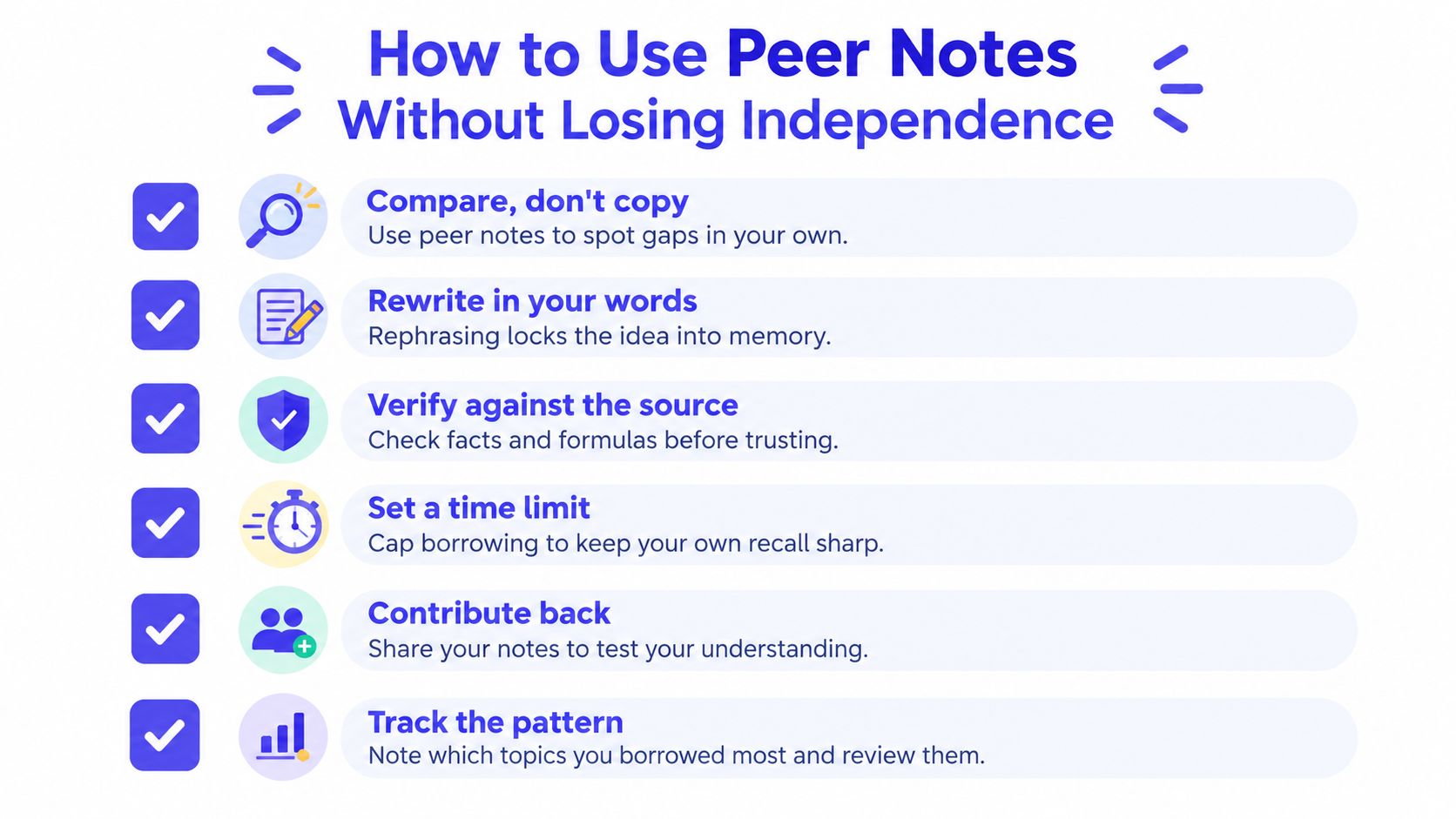
Compare before you borrow
Start with your own notes, even if they're incomplete. Mark the topics you can't explain, then use peer notes to investigate those specific gaps. This keeps the borrowed document in a supporting role.
- Compare, don't copy: Place the peer document beside your lecture objectives and mark ideas missing from your own record.
- Rewrite in your words: Close the borrowed file and explain the concept from memory before checking whether you've missed an important condition.
- Verify against the source: Check definitions, formulas, diagrams, and examples against the official lecture, reading, textbook, or recording.
- Set a time limit: Use borrowed material to resolve a defined problem, then return to independent recall.
- Contribute back: Sharing an explanation or diagram can test whether you understand it well enough to help another student.
- Track the pattern: If you repeatedly borrow notes for the same topic, treat that pattern as a signal to revisit the lecture or ask your tutor for clarification.
A peer document should never be assumed accurate because it looks polished. Check the course code, lecturer, module title, academic year, textbook edition, and assessment topics. A resource from a similar course can contain correct information and still be wrong for your exam.
Keep academic boundaries clear
Shared notes should supplement lectures, readings, and your own coursework. Don't use unauthorised solution manuals, copied lecture slides, leaked assessment answers, or another student's submitted work as if it were your own. Rules differ between institutions, so check your course guidance before sharing or using material.
AI tools can help identify headings or generate practice prompts, but treat their output as a draft for checking, not as an authority. Compare every important claim with primary course material, remove unsupported references, and don't upload private student information or restricted teaching content without permission.
Turning Static Notes Into Active Revision Tools
A document becomes useful during revision when it asks you to produce knowledge, not merely recognise it. Rereading can create a feeling of familiarity because the page looks known. Retrieval practice makes you find the answer without that support.
In an authentic science-learning study, 39 students read a text and created study notes. Two days later, one group copied its notes while another reconstructed the information from memory. After another two days, the retrieval-practice group showed better retention on a final recall task. Related experimental evidence found that retrieval practice produced recall of more than 8.5% additional facts five weeks later compared with a non-retrieval group. The study of retrieval practice with student notes (opens in a new tab) supports a simple conclusion: copying preserves the document, while reconstruction exercises access to the knowledge.
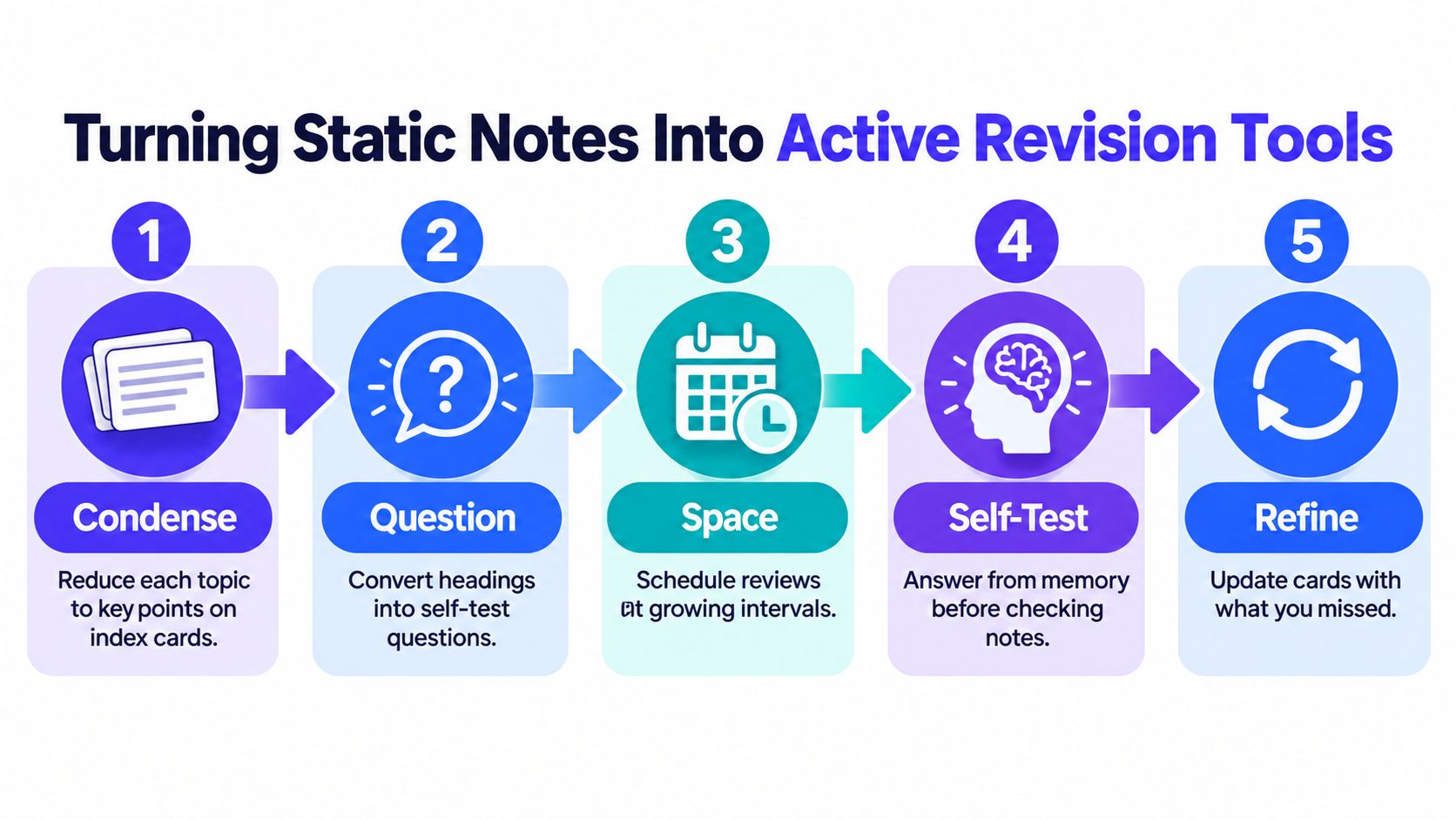
Use this five-stage workflow
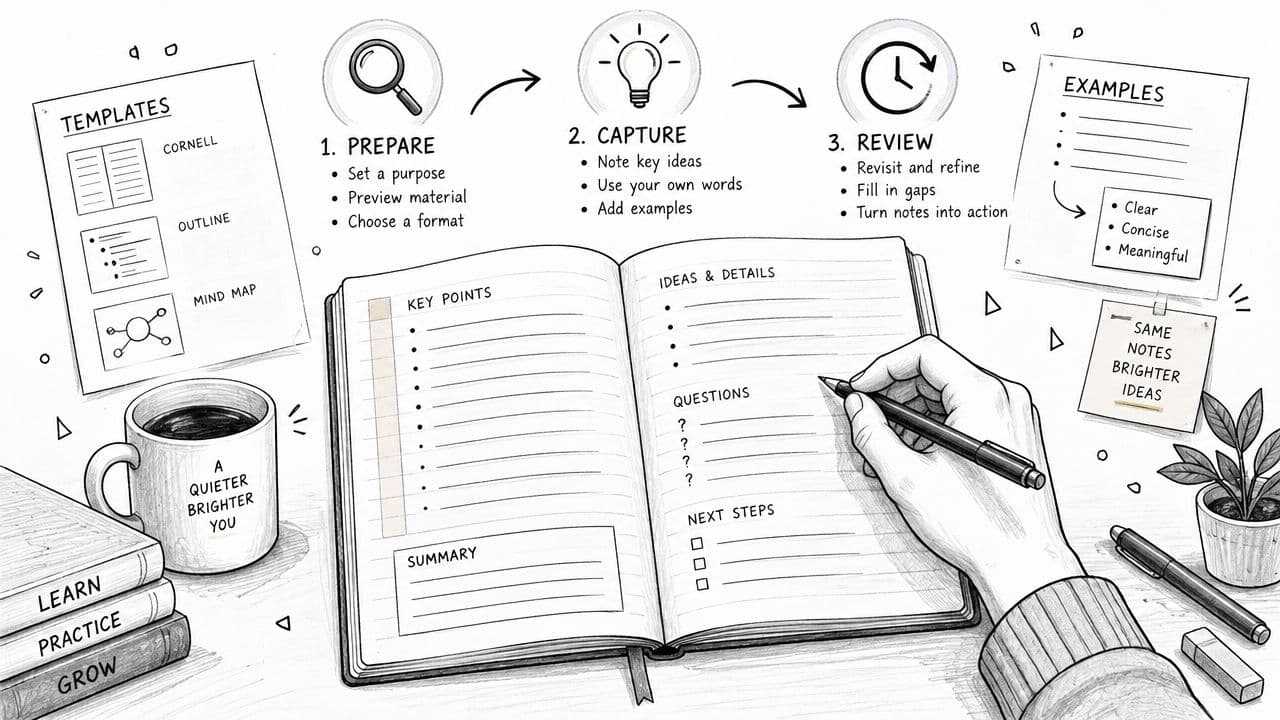
1. Condense the material. Reduce each topic to its essential claims, mechanisms, terms, and examples. Don't aim to preserve every sentence. Aim to create a compact map that you can reconstruct.
2. Question the headings. Change “Causes of inflation” into “What causes inflation, and through which mechanisms?” Change “Cellular respiration” into “How does the process produce usable energy?” A question should require an answer, not invite you to recognise a phrase.
3. Space the reviews. Put questions into a schedule that returns to difficult topics after increasing intervals. The exact timing matters less than revisiting material after you've begun to forget it.
4. Self-test first. Hide the answer. Write, speak, draw, or solve from memory. Only then inspect your notes and mark the missing part.
5. Refine the weak points. Add a short correction to the card or page. If you forgot a condition, include it. If you confused two theories, create a comparison prompt. Your mistakes show you where the revision system needs work.
For a history module, one note might become the question, “Why did policy A produce a different result in region B?” For mathematics, it might become, “Which method applies here, and what information tells me that?” For literature, ask how a quotation supports an interpretation rather than testing whether you recognise the quotation.
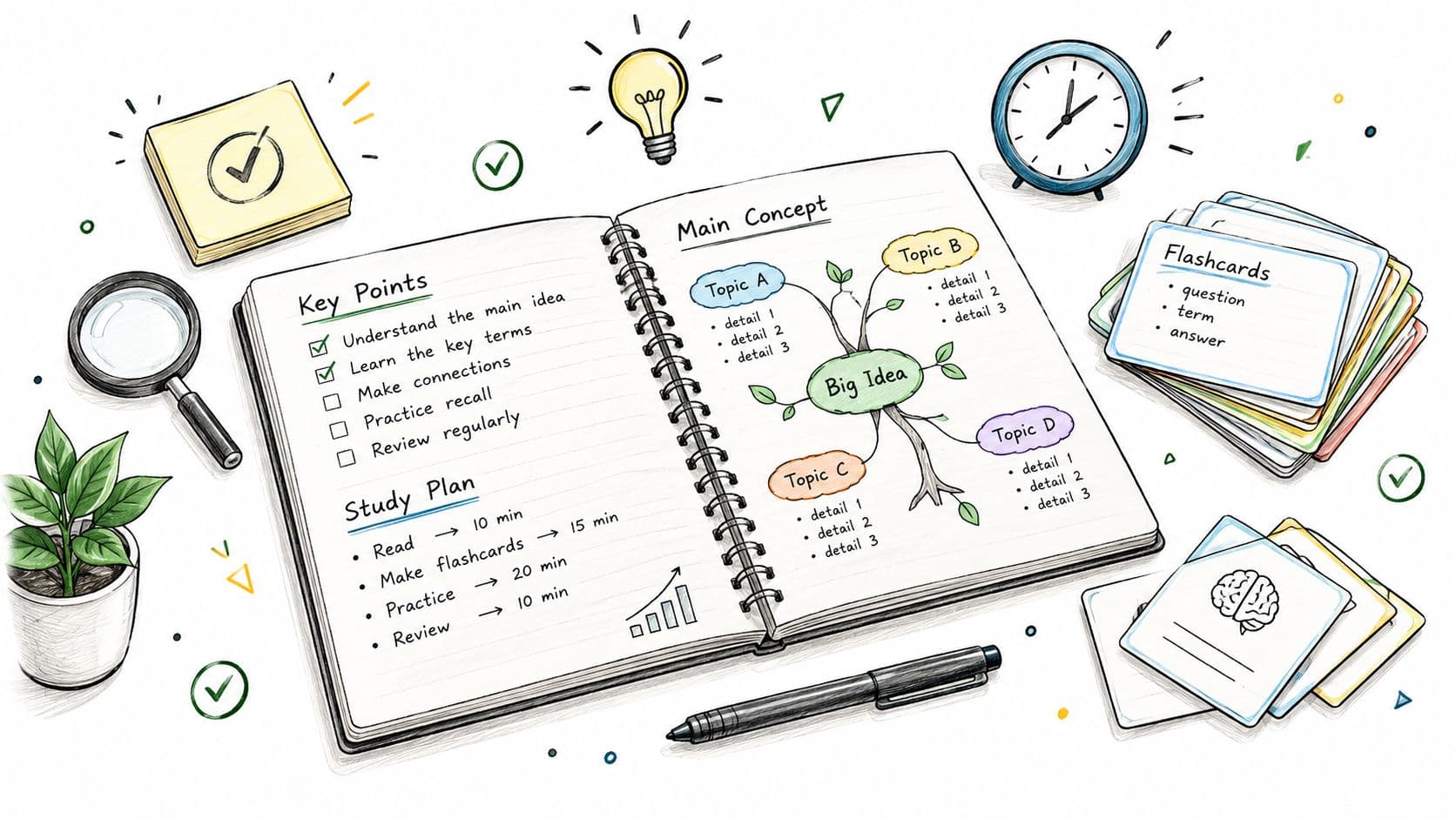
Use separate spaces for prompts and answers when possible. A collapsible heading in Notion, a flashcard app such as Anki, or folded paper can all work. The tool matters less than the sequence: attempt, check, correct, revisit.
A broader collection of practical methods appears in these exam study techniques, but don't adopt a technique because it sounds productive. Keep the methods that make you retrieve and apply your course knowledge.
Watch the video on YouTube (opens in a new tab)
Evaluating Course-Specific Study Resources Before Use
A longer document isn't automatically a better document. More pages may mean more examples and explanations, or they may mean duplicated sentences, irrelevant material, and no clear connection to your assessment.
Before using student study notes, inspect the resource as carefully as you would inspect a map before following it. Start with identity. Does it name the institution, course code, module, lecturer, academic year, and textbook or reading list? If those details are missing, relevance is uncertain even when the subject label looks familiar.
Run a practical quality check
- Match the course: Compare the document with your syllabus, learning objectives, lecture titles, and assessment format.
- Sample the middle: Don't judge quality from the cover or first page. Read several sections, including a difficult topic.
- Check explanations: Look for definitions, mechanisms, examples, exceptions, and links between ideas.
- Inspect visual clarity: Make sure equations, diagrams, tables, and scanned handwriting are readable.
- Check accessibility: Searchable text, descriptive labels, clean contrast, captions, and screen-reader compatibility can determine whether a resource is usable.
- Confirm authorship: Identify who created the notes and whether they had the right to distribute the material.
- Compare primary sources: Verify important claims against official lectures, assigned readings, and authoritative course materials.
Accessibility deserves attention beyond formal registration. A 2025 EDUCAUSE report found that only 47% of students with a disability or impairment had registered with their institution's accessibility office, and employed students were less likely to register. That figure doesn't describe every university, but it shows why students may rely on informal digital resources while lacking formal support. The EDUCAUSE report on students and technology (opens in a new tab) provides the relevant context.
Use free online study guides as a starting point only after checking their match with your own module. A preview, citation, or attractive layout can't replace verification.
Building a Sustainable Student Note System
A sustainable system has three layers. Capture gives you a reliable record of lectures and readings. Organisation lets you find material by course, topic, and source. Retrieval turns that material into questions, practice problems, explanations, and corrections.
Keep the system small enough to maintain during a busy term. At the end of each study session, label the topic clearly, record unresolved questions, and create at least a few prompts from the material. During revision, let your errors determine what you update instead of rewriting every page.
Your quality checklist
Ask whether each important note set is:
- Complete enough: It covers the relevant learning objectives without pretending to reproduce every lecture sentence.
- Clear enough: A future version of you can understand the explanation without reconstructing the entire class.
- Course-specific: The institution, module, year, readings, and assessment expectations match.
- Accessible: The text, diagrams, equations, and file format work for your needs.
- Verifiable: Important claims can be checked against primary course sources.
- Active: The notes contain questions, prompts, examples, or problems that require recall.
- Ethical: You created or obtained the material legitimately and use it within your institution's rules.
Keep peer notes beside your own learning process, not in place of it. The strongest student study notes are not the prettiest files or the longest transcripts. They're dependable tools that help you explain a topic without assistance, identify what you don't know, and practise the kind of thinking your assessment requires.
CramShare offers a free community library and course-focused marketplace where you can find lecture notes, summaries, revision guides, past papers, and other study materials by university, course code, module, textbook, or academic year. Browse the available previews, verify the match with your course, and use CramShare to add relevant resources to an active revision system rather than treating them as files to reread.