Note Taking Research: What Science Says
Discover what note taking research reveals about handwritten vs typed notes, the Cornell method, and how to build a review cycle that actually boosts exam
Students often record only about 40% of the important points in a lecture, and first-year students have recorded as little as 11% in some settings. That finding reframes note taking research. The central problem isn't whether your notes look neat. It's whether your attention, encoding, and later review turn a fast-moving lecture into knowledge you can retrieve when an exam asks you to use it.
Good notes aren't a transcript. They're a working model of the material, built under time pressure and improved through review. The strongest evidence therefore points beyond the familiar handwriting-versus-keyboard argument, toward three connected questions: how you structure information, what you do with the notes afterward, and where AI supports rather than replaces your thinking.
The Reality of Lecture Capture and Cognitive Encoding
A lecturer may explain a complex process, qualify a definition, give an example, and connect it to an earlier idea within a few minutes. You can't preserve every word while also deciding which parts matter. The research summarized by the University of Michigan Center for Research on Learning and Teaching (opens in a new tab) shows why this matters: students who take notes and later review them outperform students who only listen, with benefits appearing on both immediate and delayed tests of recall and synthesis.
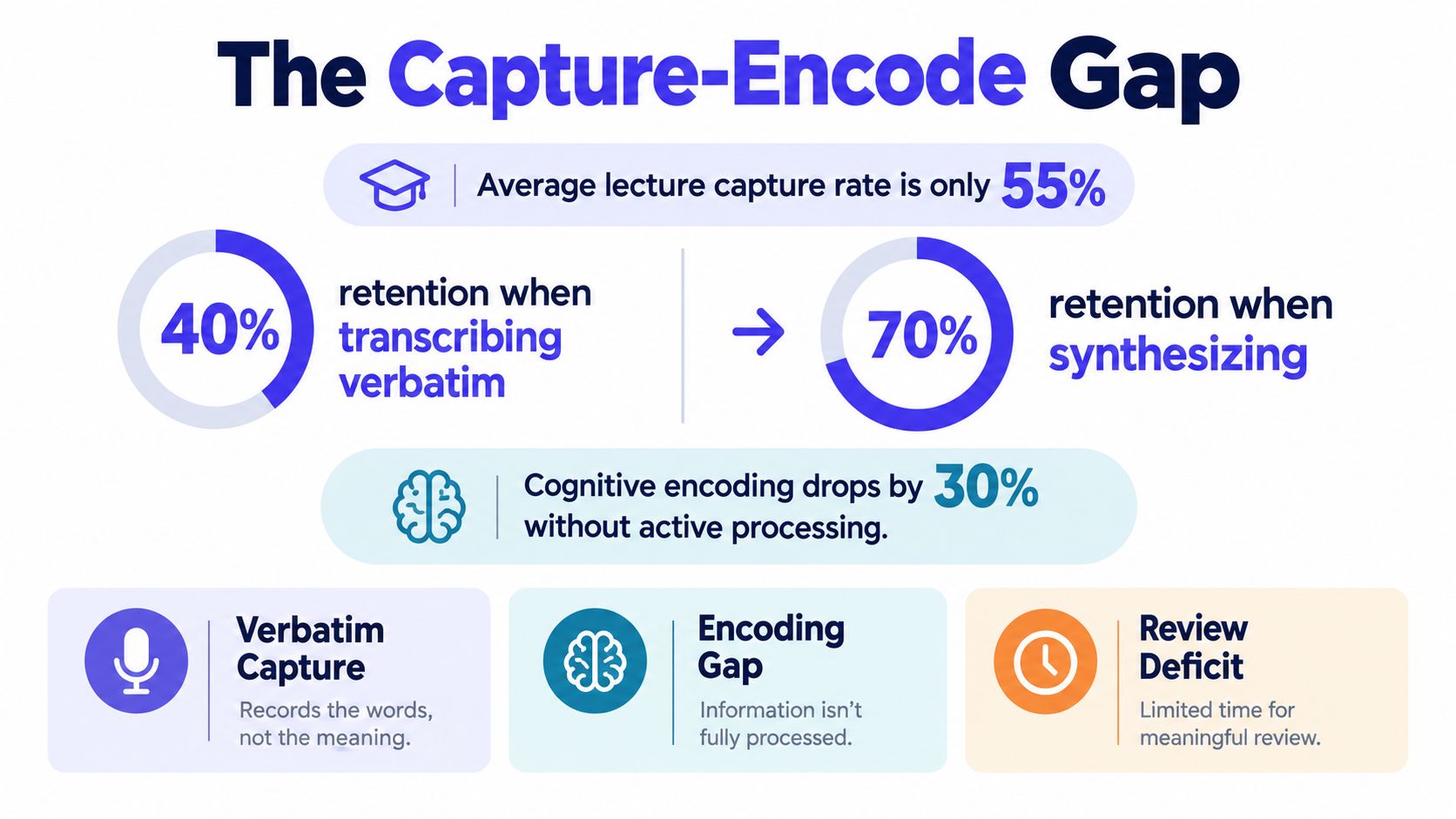
The familiar lecture statistic is sobering. Students often capture only about 40% of important lecture points, while some observations of first-year students found capture as low as 11%. These figures don't mean students are careless. They show that listening is a demanding activity and that a lecture moves faster than most listeners can record it.
Capture is not the same as learning
Note taking begins as a selection task. You hear information, identify its role, compress it, and place it into a form you can understand later. That sequence creates an opportunity for cognitive encoding, because you aren't merely receiving sound. You're deciding what a concept means and how it relates to the course.
Verbatim transcription can interrupt that process. If your attention is devoted to reproducing sentences, you may capture more language while processing less meaning. A short note such as “enzyme activity changes with temperature, but denatures beyond optimum” can be more useful than a paragraph copied from a slide because it preserves the relationship you need to explain.
Practical rule: Write the lecturer's idea in the shortest wording that still lets you explain it accurately later.
This is why a useful guide to taking lecture notes should focus on decisions, not decoration. Use arrows for cause and effect, question marks for gaps, and brief examples for abstract claims. Leave space for corrections, because your first version is a capture document, not the finished study resource.
Why listening alone falls short
Listening can create a feeling of familiarity. You may recognize a term when you see it again without being able to define it, compare it, or apply it. Notes provide external storage, but they also create a visible record of what you selected and what you failed to understand.
The important distinction is not “notes versus no notes” in isolation. The research tradition establishes a stronger pattern: note-taking paired with later review produces the most useful learning conditions. Your page becomes valuable when it supports a second encounter with the material, one in which you can test and reorganize what the lecture introduced.
Handwritten vs Typed Notes in Academic Settings
The handwriting debate has a real evidence base, but the popular version is too simple. The question isn't whether keyboards are bad or pens are automatically good. It's whether the method encourages meaningful compression or lets you copy faster than you can think.
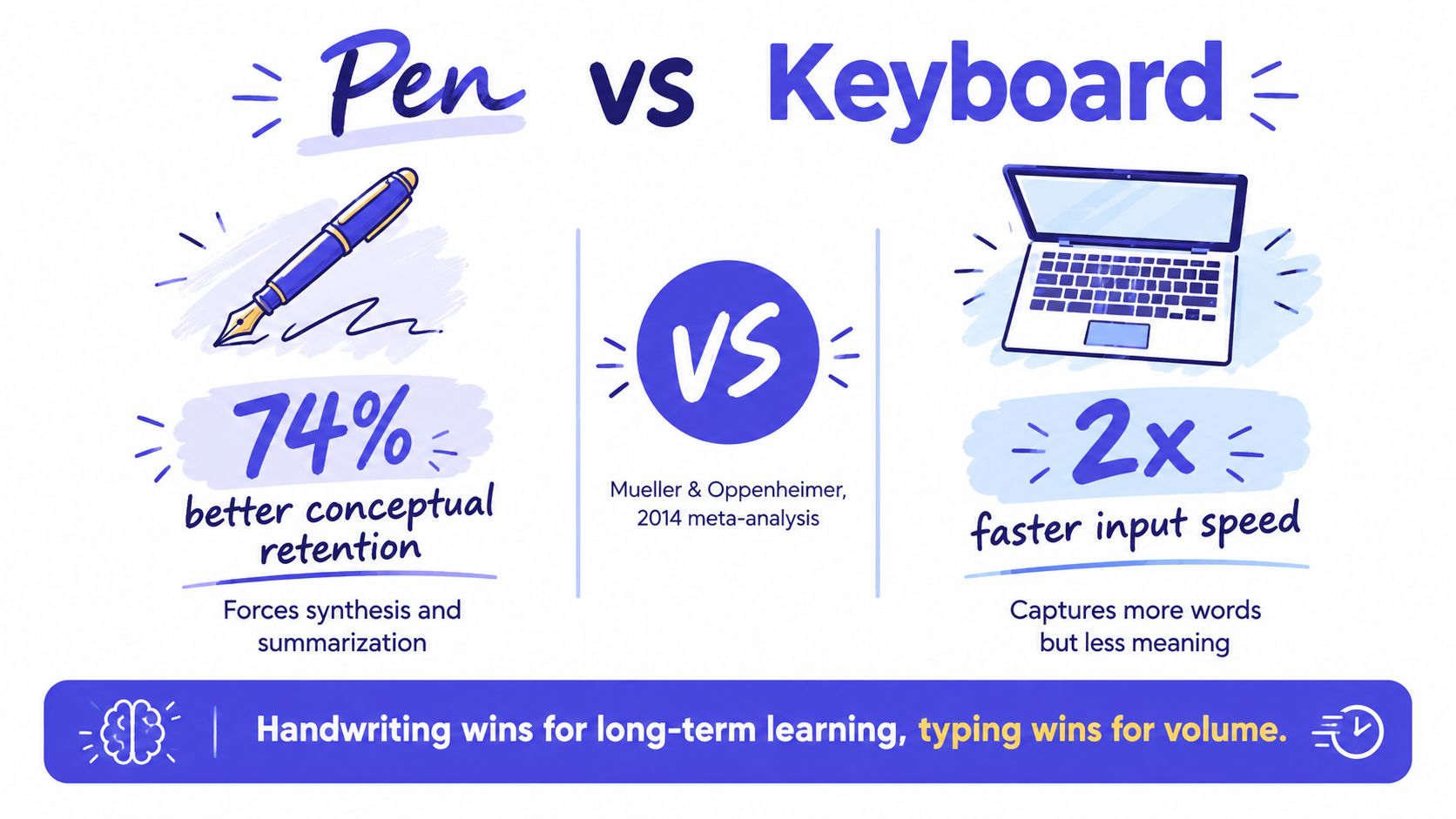
A meta-analysis covering 24 studies across 21 articles found that taking and reviewing handwritten lecture notes produced higher course performance than typed notes, with Hedges' g = 0.248, p < 0.001. Typing, however, produced much higher note volume, with Hedges' g = 0.919, p < 0.001. The findings are reported in the meta-analysis of handwritten and typed lecture notes (opens in a new tab).
Volume can disguise weak processing
Typing is useful when you need speed. It can help with technical terminology, quotations, formulas, or material that you must preserve precisely. The problem begins when speed becomes the objective. A laptop can produce a large document that feels but contains few prompts for explanation or self-testing.
Handwriting limits the number of words you can record. That limitation can be productive because you must choose. Instead of copying a slide titled “causes of inflation,” you might write three causes, one mechanism, and one question about how the mechanism differs across economies. The page contains less language but more structure for later recall.
The study efficiency question is therefore more useful than the medium question. Ask, “Will these notes help me reconstruct the argument without replaying the lecture?” If the answer is no, changing from a keyboard to a pen won't solve the deeper problem. You need to change what you record.
Choose the medium by task
Use handwriting when the session introduces broad concepts, competing theories, diagrams, or relationships that you need to interpret. Use typing when accessibility, searchability, equations, collaboration, or rapid terminology capture clearly improves your work. You can also begin with selective handwritten notes and later create a digital question bank, provided the second stage makes you think rather than merely retype.
The goal is deep encoding with enough usable detail. A typed outline with headings, questions, and concise paraphrases may support learning better than rushed handwriting that omits essential definitions. Likewise, handwritten pages filled with copied sentences aren't automatically active.
Watch the video below for a visual explanation of the medium debate, then judge the method by what it makes you do with information.
Watch the video on YouTube (opens in a new tab)
How Note Structure Impacts Long-Term Retention
The medium is only part of the story. Two students can use the same laptop or notebook and create very different learning tools. Structure determines whether your notes preserve a list of statements or expose the relationships, questions, and summaries that make later retrieval possible.
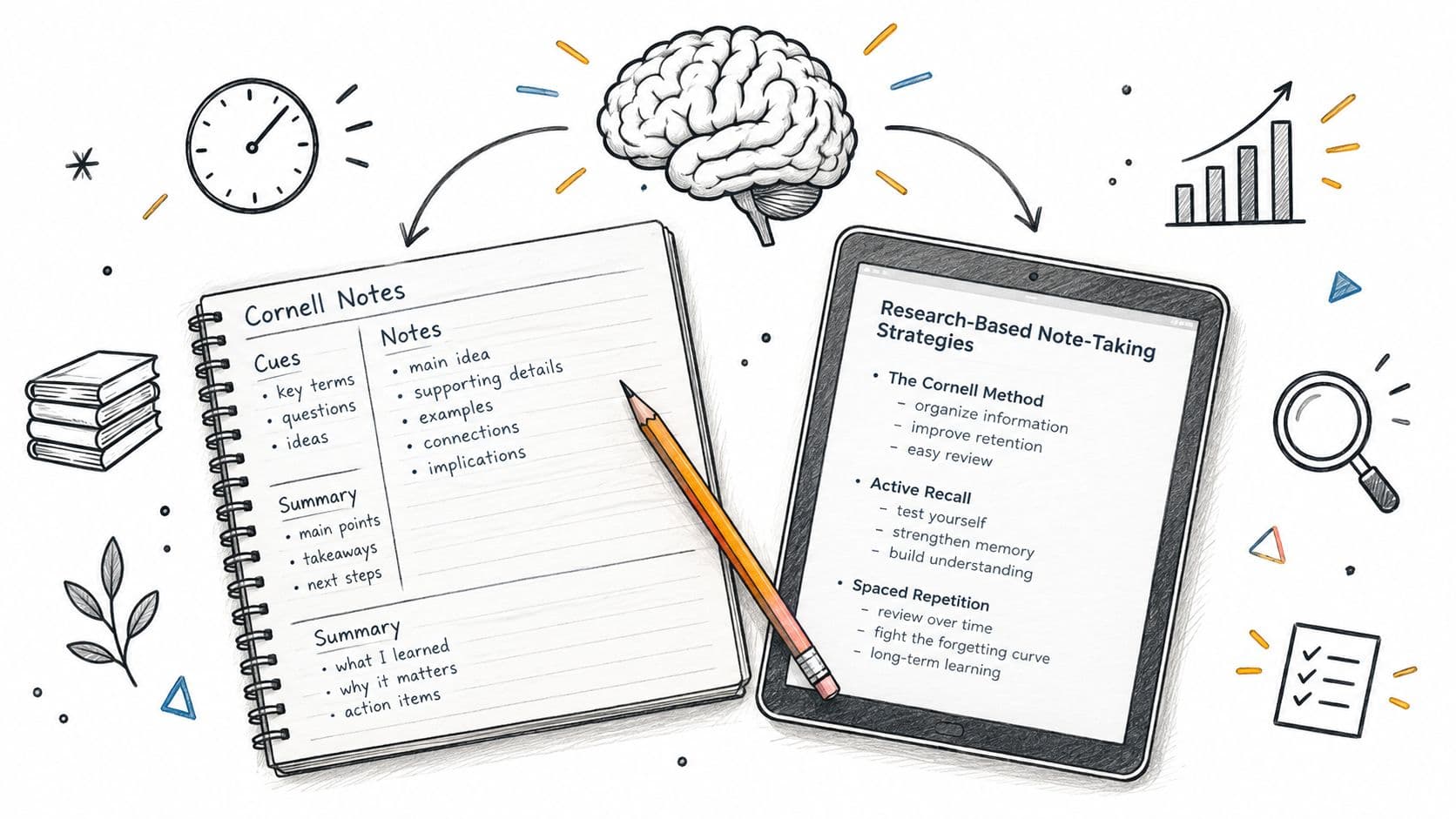
A 2025 experiment compared Cornell notes, parallel notes, digital notes, and sentence notes. The scores declined from post-test to retention for every group, but the size of the decline differed. The Cornell group moved from an average of 15.9 to 15.0, while the parallel-notes group moved from 15.6 to 14.7. The digital group moved from 13.9 to 12.7, and the sentence-note group moved from 14.0 to 12.4, as reported in the Frontiers study of note-taking methods and retention (opens in a new tab).
Why Cornell notes help at review time
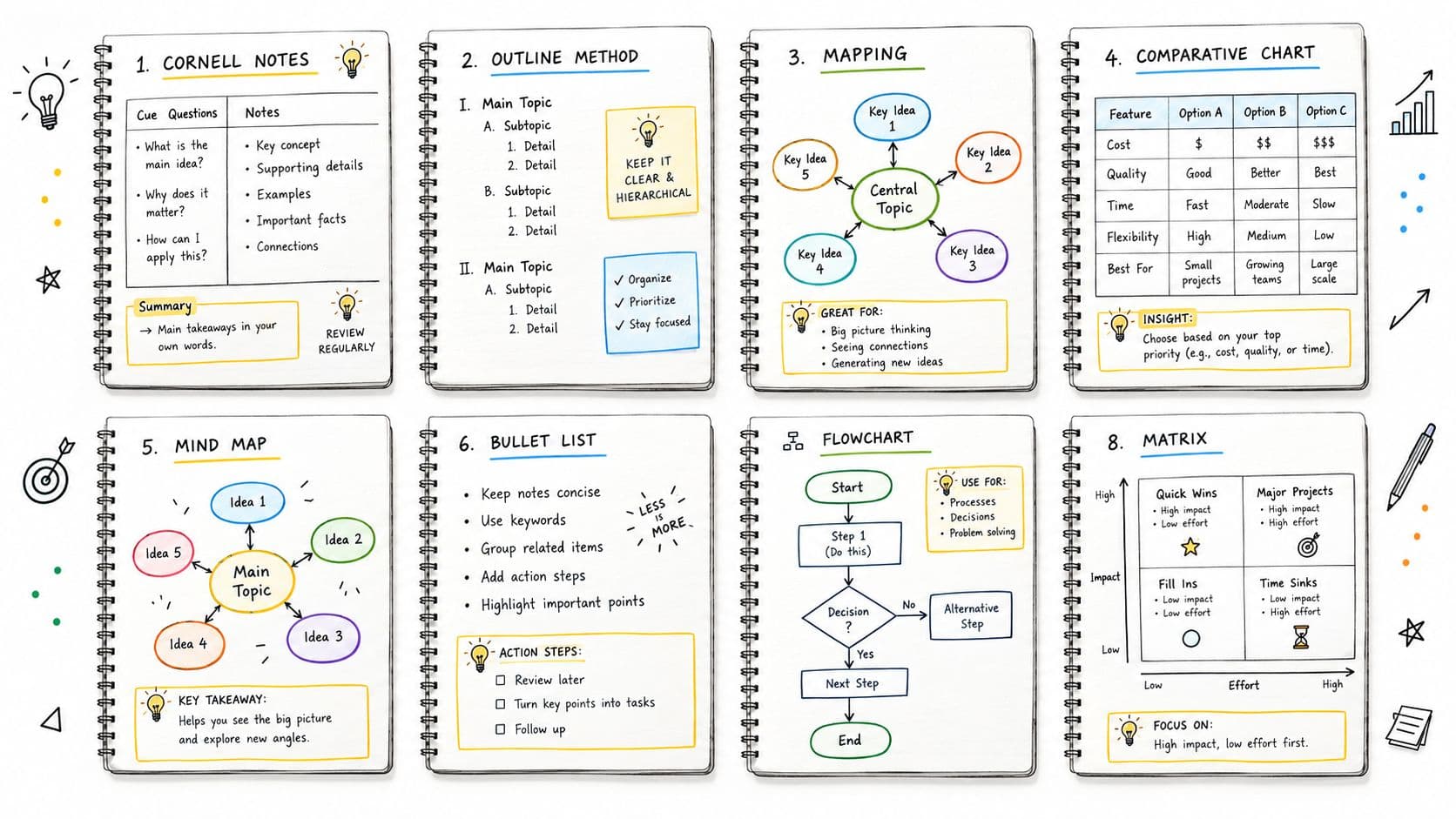
The Cornell layout separates the page into a main note area, a cue area, and a summary area. During class, you capture explanations in the main area. Afterward, you turn major ideas into cues and compress the page into a short summary. That arrangement changes review from rereading into a sequence of prompts and answers.
The 2025 study found that at retention, only the Cornell method significantly outperformed the sentence method, with adjusted means of 15.0 versus 12.4. Other pairwise differences weren't significant after adjustment. That qualification matters. The evidence doesn't prove that Cornell notes win every subject or every learner. It shows that a structured method can support lasting retention under the study's conditions.
Build the structure around retrieval
You don't need to force every module into one template. For a history lecture, the cue column might contain causes, turning points, and comparisons. For anatomy, it might hold structures and functions. For statistics, it could contain assumptions, formula meanings, and “when would I use this?” questions.
Try this sequence after class:
- Complete the page. Add missing definitions, examples, and connections while the lecture is still fresh.
- Write cues. Convert headings into questions that you can answer without looking at the main notes.
- Summarize the argument. State what the session was mainly trying to explain and how the pieces fit.
- Test before rereading. Cover the main column and answer the cues from memory.
A clear note-taking layout for study and review can help you create this separation. The layout matters because it reduces the work required to turn class notes into revision material.
The External Storage Effect and Review Cycles
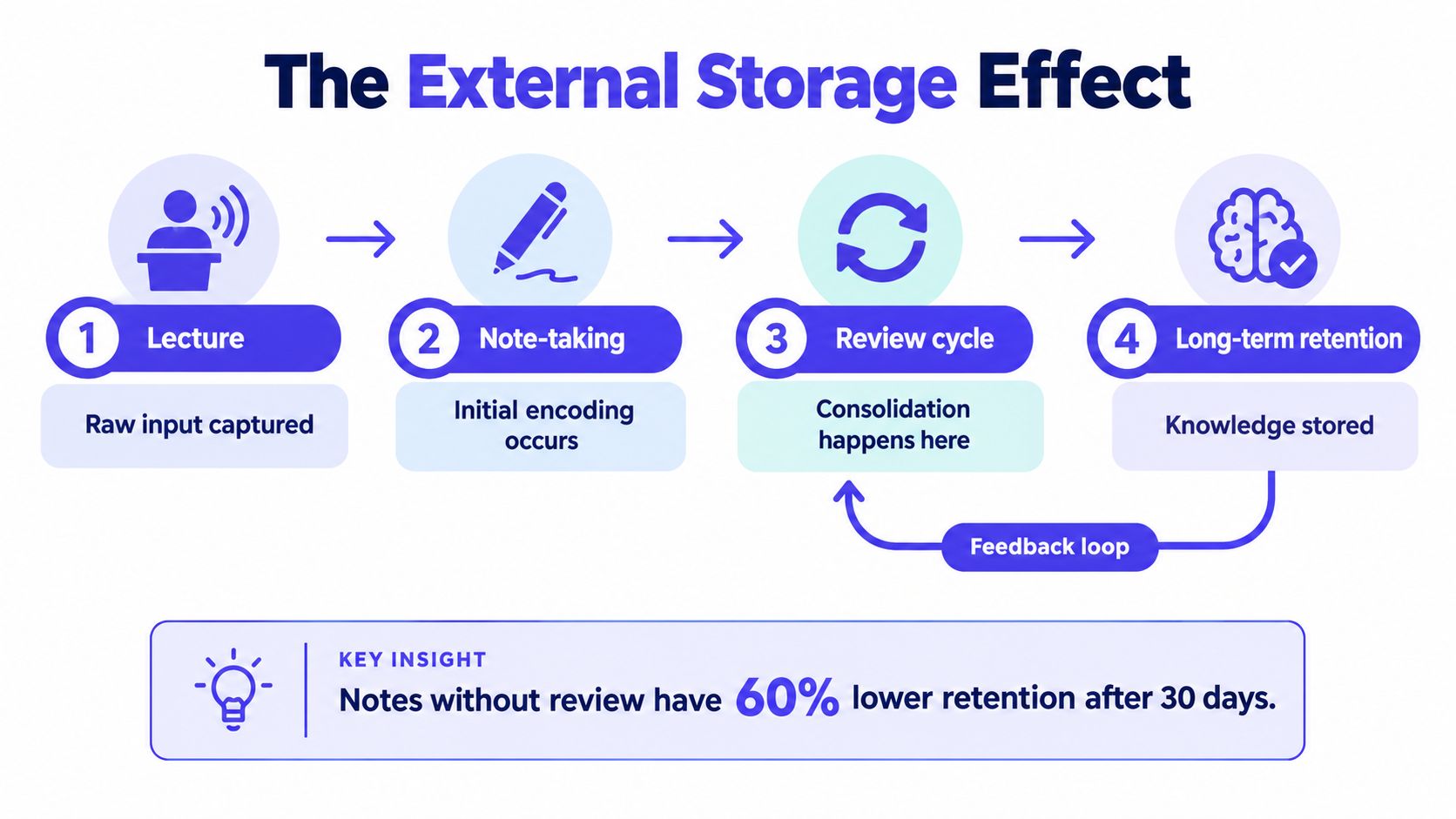
A notebook can store information outside your mind, but storage alone doesn't create durable learning. The key step is returning to the notes and using them to reconstruct the lecture, identify gaps, and answer questions without relying on recognition.
In an experiment involving 172 undergraduates, students who took notes and reviewed them achieved the best retention, while students who only listened and didn't review performed worst. The study's key causal interpretation was that the benefit came mainly from the later review opportunity rather than from note-taking alone, as described in the ERIC record for the external-storage experiment.
Notes become useful during the second encounter
Think of the lecture as raw input, your notes as an external record, and review as the point where you convert that record into retrievable knowledge. During review, you can close the page and ask yourself to define terms, reproduce a process, or explain why one theory differs from another.
This changes how you should write notes in the first place. A page designed only for rereading may look complete but offer no friction. A page designed for retrieval includes questions, blank spaces, contrasts, and prompts that force you to produce an answer.
Notes are not the final product. They are the prompts from which you rebuild the subject.
A workable review cycle
Keep the cycle simple enough to use every week. Immediately after class, scan for missing links and write a short summary. In a later study session, cover the answers and retrieve from the cues. During exam preparation, mix questions from different lectures so you practise choosing the right concept, not just repeating one page in sequence.
You can use spaced-repetition tools for turning notes into review prompts, but the tool shouldn't decide what matters in your module. Create questions that reflect your lecturer's terminology, assigned readings, problem types, and assessment style.
The review cycle also explains why perfect notes can become a trap. If formatting consumes the time you need for questioning and retrieval, the page has become an aesthetic project. Aim for notes that are clear, searchable, and easy to test, not notes that reproduce every detail of the lecture.
Contextual Workflows and the Role of AI Tools
One generic note-taking method can't serve every university task. A philosophy seminar asks you to track claims, objections, and assumptions. A laboratory session requires procedures, observations, deviations, and interpretation. A programming lecture may demand syntax, patterns, errors, and worked examples.
A 2025 paper describes note-taking as a “critical, yet under-researched” practice and calls for more work on how people organize, synthesize, and reuse notes. Its discussion of the under-researched conditions surrounding note-taking skills (opens in a new tab) supports a cautious conclusion: students should adapt their workflow to the course and the purpose of the notes rather than treating a popular template as a universal answer.

Capture and synthesis are different jobs
AI tools increasingly divide into two broad functions. Capture tools transcribe lectures or conversations quickly. Synthesis tools organize sources, identify themes, connect material, and answer questions grounded in a document set. Those functions can complement each other, but neither removes the student's responsibility to understand the course.
An automatic transcript may preserve every word while giving you no hierarchy. An AI summary may produce a smooth explanation that you recognize but can't reproduce. The risk is greatest when you read the output passively and mistake fluency for mastery.
Use AI after your own first pass when possible. Ask it to:
- Find gaps: Compare your notes with an authorized transcript or reading and identify topics you may have missed.
- Create prompts: Turn your headings into questions, then check whether each answer is supported by the course material.
- Organize sources: Group definitions, examples, and disagreements from provided documents.
- Expose uncertainty: Flag statements that need checking against slides, readings, or your lecturer's explanation.
Keep student-generated thinking visible
Don't outsource the first act of interpretation for every lecture. Write your own initial questions, examples, and confusions. Then use AI to help classify or refine them, not to erase the evidence of your thinking.
Source-grounded tools are safer for assigned PDFs and course documents than generic summaries of an entire topic, but you still need to verify citations, terminology, and context. A transcript can also contain recognition errors, especially with names, formulas, or specialist vocabulary. Treat AI output as a draft for checking, not as an authoritative set of notes.
Building a Research-Backed Study System
A practical system should make four decisions clear: what to capture, how to structure it, when to review it, and which external material can fill a genuine gap. Start with the course outcome and assessment format, because the best note is the one that supports the task you'll later perform.
Before the lecture
Read the session title, learning outcomes, and any available slides. Prepare a page with the main topics, a margin for cues, and a lower space for a summary. If the subject is fact-heavy, create columns for terms, features, and distinctions. If it's conceptual, leave room for arrows and questions.
During the lecture
Write ideas, relationships, and examples, not every sentence. Mark uncertainty immediately with a symbol. When the lecturer changes direction, add a heading. For a worked problem, record the decision at each stage and why that decision was made, not only the final answer.
Choose handwriting when compression and conceptual processing are the priority. Choose typing when speed, accessibility, formulas, or searchable organization matter. Whichever medium you use, disable the habit of copying by pausing whenever you notice that your notes have become a transcript.
After the lecture
Complete a short review while the material is still familiar. Add missing terms, write cue questions, and produce a summary in your own words. Then close the notes and answer the cues. If you can't answer, return to the relevant explanation and rewrite the prompt more clearly.
Use a digital tool or AI assistant to organize documents, generate additional practice questions from approved sources, or locate a specific concept. Don't let it replace your first explanation of the topic. For course-specific gaps, CramShare provides lecture notes, summaries, revision guides, past papers, and other study materials organized by university, course code, module, textbook, and academic year, with previews for evaluating relevance.
Before the exam
Mix retrieval across lectures and formats. Compare your own notes with the syllabus and assigned materials, then use additional resources only to clarify or practise what your course requires. Check copyright and academic-integrity rules before sharing or submitting any material, and keep your final answers independently written.
The evidence behind note taking research leads to a modest but powerful habit: capture selectively, structure for questions, and review deliberately. The medium can support that process, but no pen, keyboard, or AI tool can perform the learning for you.
Use CramShare to find course-specific lecture notes, summaries, revision materials, and past papers that match your university, module, and academic year. Browse the previews, compare resources with your own notes, and use relevant materials to strengthen review without replacing your independent study.