How to Take Lecture Notes That Improve Recall
Learn how to take lecture notes that improve recall with proven methods, templates, and a 24-hour review routine you can start using today.
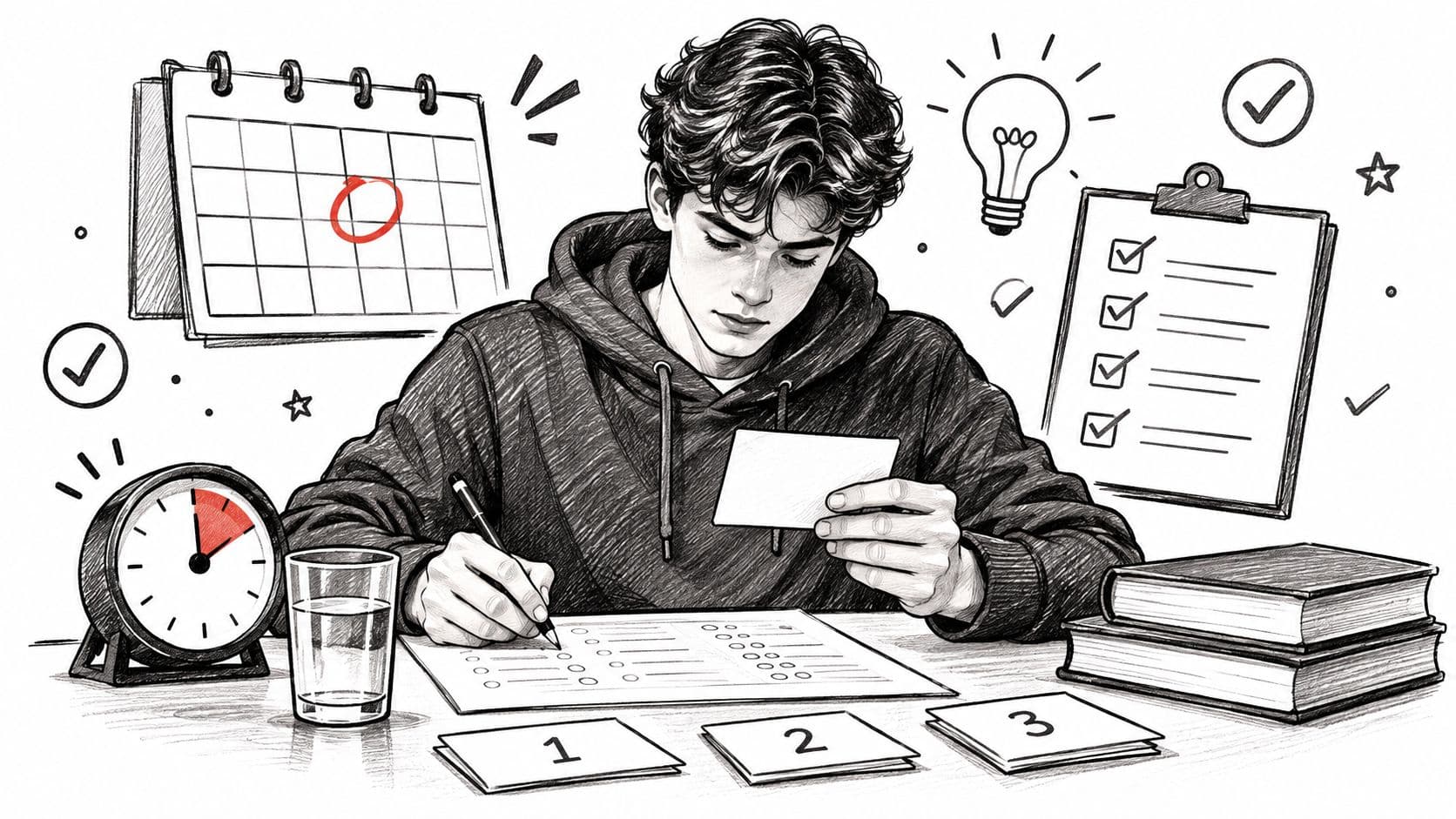
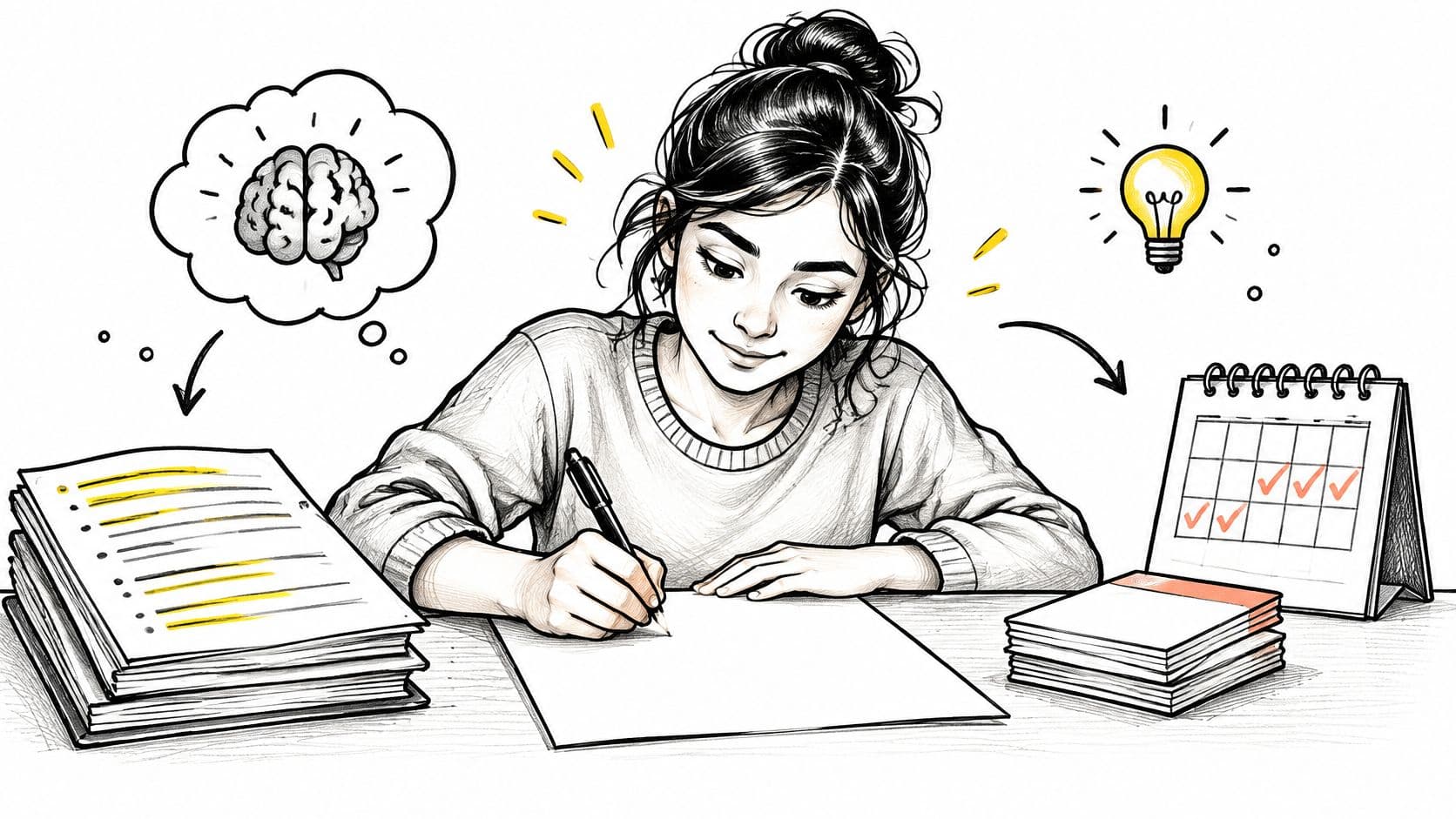
You're sitting in a lecture, trying to keep up with slides, diagrams, examples, and the professor's aside that suddenly sounds important. By the end, your page is full, but a week later the headings feel unfamiliar and the bullet points don't tell you what the argument was.
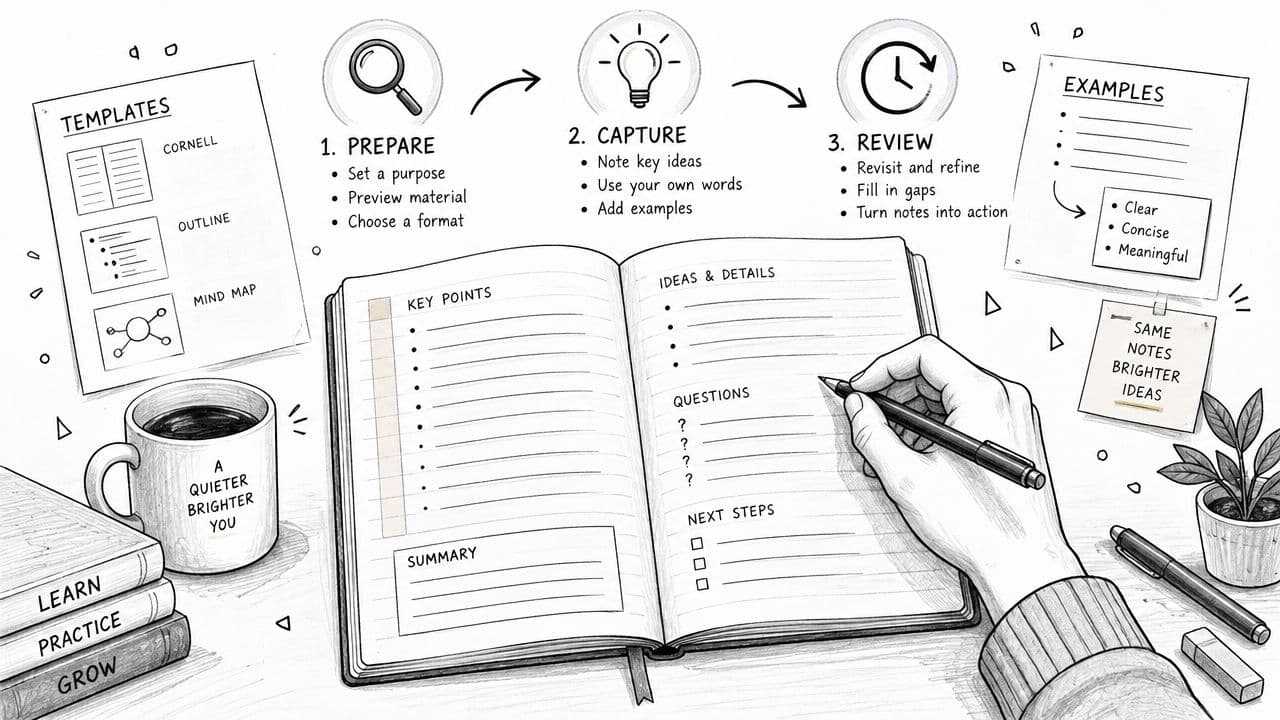
Learning how to take lecture notes isn't mainly about writing faster. It's about building a workflow that helps you listen selectively, preserve details accurately, and turn raw notes into questions you can answer from memory. The most reliable system has three phases: preview before class, capture during class, and review within 24 hours.
Why Most Lecture Notes Stop Working After Week One
A student once described her Thursday routine to me with painful accuracy. She opened three weeks of notebooks, scrolled past dates and dense pages, and recognized almost none of the arguments. The notes existed, but they no longer connected to a lecture, a question, or a possible exam answer.
That breakdown happens because many students treat note-taking as one task instead of three. They capture information during class, then assume the work is finished. Capture only gives you raw material. Learning starts when you use that material to separate main ideas from details, fill gaps, and test recall.
The three phases of useful notes
A working system gives each phase a clear job:
- Preview: Spend a short time looking over the topic, headings, slides, or syllabus description before class. Write questions that give you something specific to listen for.
- Capture: Record the lecture's structure, explanations, examples, definitions, and unresolved points. Do not try to preserve every sentence.
- Review: Return to the raw notes within 24 hours, then turn selected details into cues, summaries, and self-test questions. University guidance on lecture listening and note-taking (opens in a new tab) recommends focusing on main themes, using point form and abbreviations, and leaving space for later elaboration.
A meta-analysis of lecture-note studies found that students who took and reviewed handwritten notes performed better than typists, while typists produced much more text. That is the central tradeoff. More volume does not automatically mean better learning, because the act of typing can tempt you to copy without sorting what matters. Read the lecture-notes meta-analysis (opens in a new tab)
Why familiar excuses create harder exams
“No reading was assigned” sounds like a reason to skip preparation, but you can still preview the lecture title, learning outcomes, slides, or previous notes. The point is to arrive with a few anchors in place.
“The lecture moves too fast” is another reason to prepare questions. If you already know what to listen for, fast delivery is easier to follow.
“Professor posts the slides” creates a different trap. Slides usually keep headings and selected prompts, not the explanation, comparison, correction, or example that made the idea clear. If you wait until exam season, you are rebuilding the course while trying to learn it for the first time.
The problem is not a lack of talent or speed. The gap is workflow. Change what happens before, during, and after class, and your notes become a study tool instead of an archive of abandoned pages.
Pre-Class Preparation That Makes In-Class Notes Easier
You don't need a long study session before every lecture. A focused preview can fit into a short routine the night before or on the morning of class. The point isn't to master the topic early. It's to arrive with a mental outline and a few questions that make active listening possible.
A practical preview routine
Start with the assigned reading, lecture slides, or course outline. Skim the headings, bold terms, diagrams, and closing summary. Don't stop to solve every difficult paragraph. Mark two or three unclear items so you can listen for explanations rather than discovering every concept from scratch.
Next, write three prediction questions as complete sentences. Good questions name a relationship, mechanism, distinction, or consequence. “What is cellular respiration?” is too broad. “How does the proton gradient drive ATP production?” gives your attention a target.
Finally, prepare the page itself. Add the course, date, lecture title, chosen format, and planned review time. If you use Cornell notes, draw or open the cue, note, and summary areas before class. If you prefer an outline or concept map, place the lecture title at the top and leave generous space for additions.
Practical rule: Preview for structure, not completion. You're preparing your attention, not trying to replace the lecture.
A worked biology example
Suppose the next lecture covers cellular respiration. Before class, you skim the relevant material and write:
- How does ATP synthase use the proton gradient?
- Why does anaerobic respiration produce less energy?
- How is cellular respiration different from photosynthesis?
During the lecture, each question becomes a listening filter. When the professor explains the membrane gradient, you can connect the explanation to your first question. When anaerobic pathways appear, you already know which contrast matters. If the lecture answers only two questions, the unanswered one becomes an immediate review task.
This approach also helps when there's no assigned textbook chapter. You can extract a basic structure from the syllabus, lecture title, learning outcomes, and any posted diagram. For additional guidance on preparing from written material, see this practical guide to note-taking from a textbook.
Pre-class preparation separates passive transcription from active listening. It also reduces the number of decisions you make during the lecture, because your page and questions are ready before the first important explanation begins.
Choosing the Right Note Format for Your Subject
A note format should reflect how the subject organizes knowledge. The same five-minute explanation about supply and demand shifts can look completely different on the page depending on whether you need to retrieve definitions, follow an argument, or understand a system of connected changes.
One lecture excerpt, three structures
Imagine a lecturer explains that a change in consumer income can shift demand, while a change in the price of the good creates movement along the demand curve. The lecturer then distinguishes a demand shift from a supply shift and gives an example involving production costs.
Cornell notes would place key questions or terms in the cue column, the explanation and example in the main notes area, and a short synthesis at the bottom. This structure suits definition-heavy courses such as economics, psychology, and language because it turns vocabulary into review prompts.
Outlining would show the hierarchy:
- Demand
- Income changes shift demand
- Price changes move along the curve
- Supply
- Production costs affect supply
- Important distinction
- Shift versus movement along a curve
This format works well when the lecturer develops a sequence of claims, causes, examples, and consequences. History, literature, policy, and theory courses often benefit from visible argumentative order.
Concept mapping would place “demand” in the center, then connect income, price, consumer behavior, supply, production costs, and curve movement with labeled arrows. Mapping is useful when relationships branch or loop, as they often do in systems biology, organic chemistry, and process-driven subjects.
For printable structures and layout ideas, compare these examples of note-taking layouts.
Best Note Format by Subject Type
If you're new to university study, Cornell is a useful default because it builds review into the page. Keep concept mapping as your backup whenever the lecture is diagram-driven or process-heavy.
Format isn't a personality trait. You can use Cornell for psychology, outlining for history, and mapping for biochemistry without being inconsistent. Switching by course is a sign that you're matching the tool to the material.
Handwriting vs Typing and the Real Tradeoff
The handwriting-versus-typing debate becomes unhelpful when it turns into a universal rule. Handwriting often encourages selection and paraphrasing, while typing makes it easier to record more words. Neither choice works well if you're distracted, never review, or use a format that clashes with the subject.
The meta-analysis discussed earlier found a statistically significant learning advantage for students who took and reviewed handwritten notes, while typing generated much greater note volume. The result supports a practical interpretation: typing can become transcription, and transcription may reduce the mental work of deciding what an idea means. That doesn't make laptops harmful. It means the way you type matters.
Match the tool to the lecture
For an interpretation-heavy seminar, handwriting is often a strong default. You can mark an argument with an arrow, draw a contrast in the margin, write a question beside a quotation, or compress a discussion into a phrase without feeling compelled to produce a complete transcript.
A laptop may be more suitable for a fact-dense lecture involving notation, terminology, formulas, or rapid sequences. In those settings, trying to paraphrase a technical definition before you fully understand it can introduce errors. Typing can preserve the exact symbol or term, provided you remain engaged and review the material soon afterward.
Try a one-week comparison
Use handwriting for one interpretation-heavy class and typing for another, or alternate methods in the same course when appropriate. At the end of each lecture, close your notes and write what you remember: the main claim, one supporting detail, and one unresolved question.
Repeat the recall check later, then compare the usefulness of the notes rather than their appearance. If typing produces long pages but weak recall, force yourself to use fragments, indentation, and question prompts. If handwriting causes you to miss essential formulas, use a hybrid system: handwritten interpretation during class, followed by typed clarification during review.
The 24-Hour Review Routine That Locks In Recall
A lecture can feel clear in the room and slippery the next day. That is why raw notes need a second pass while the class is still fresh. Review them within 24 hours, before the context fades and the page starts to feel detached from the lecture.
The goal is not a prettier rewrite. It is to turn your notes into prompts you can use to test yourself.
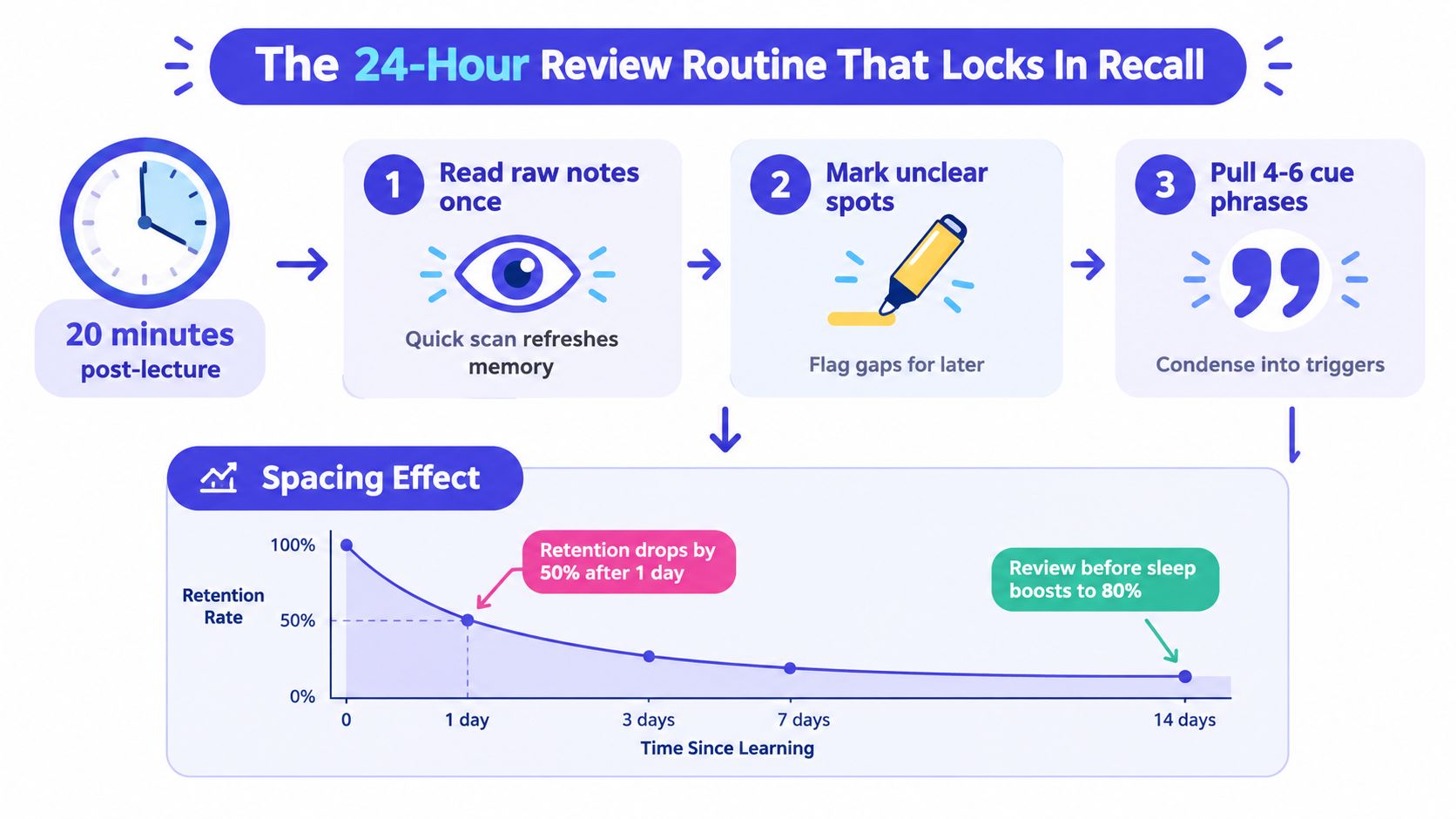
A focused 20-minute pass
Use a short sequence:
- Read the raw notes once. Do not fix every sentence. Rebuild the lecture's path from start to finish.
- Mark unclear spots. Circle missing definitions, skipped steps, hard-to-read symbols, and questions you could not answer in class.
- Pull four to six cue phrases. Put short prompts in the margin or cue column. They should make you explain an idea, not just repeat a heading.
- Write one sentence of summary. State what the lecture mainly showed, explained, or compared.
- Resolve selected gaps. Use the slides, textbook, office hours, or another trusted course resource. Leave unresolved questions visible.
As noted earlier, note-taking guidance from Trent University recommends reviewing and filling gaps quickly, and the point is practical: the longer you wait, the more the lecture turns into disconnected fragments.
For later reinforcement, return for a brief day-three check and a short weekly review. Cover the main notes, look only at the cue phrases, and explain each one aloud or in writing. A spaced repetition routine works best when the prompts stay tied to your course, not to generic flashcards.
Turning biology bullets into cues
Raw notes might say:
- The inner mitochondrial membrane holds a proton gradient.
- Electrons move through the electron transport chain.
- ATP synthase uses proton flow to produce ATP.
After review, turn them into cues:
- Where is the proton gradient located?
- What does the electron transport chain do?
- How does ATP synthase connect proton flow and ATP?
Your summary could read: “Electron transport creates a proton gradient across the inner mitochondrial membrane, and ATP synthase uses the gradient to produce ATP.”
That page now supports self-testing. Cover the notes, answer the cues, and check your accuracy. Clear pages can still hide weak recall. Cue-based pages expose gaps early enough to fix them.
When Verbatim Capture Beats Paraphrasing
“Write it in your own words” is good advice for many conceptual explanations, but it becomes dangerous when students apply it mechanically. Some lecture content depends on exact wording, symbols, or naming conventions. A faulty paraphrase can look clear while changing the meaning.
The UNC Learning Center's note-taking guidance (opens in a new tab) points out that verbatim transcription can help with short-answer recall in factual classes when students review promptly. That qualification matters. Verbatim capture protects precision, but it doesn't automatically create understanding.
Three situations that need exact capture
Precise terminology deserves careful recording when a word identifies a structure, process, diagnostic category, or named distinction. If you haven't encountered the term before, paraphrasing it from sound may produce an invented definition.
Mathematical notation and worked formulas also resist casual rewriting. A changed sign, subscript, condition, or operator can alter the entire relationship. Capture the formula accurately, then add a plain-language note beside it once you understand what each part does.
Legally or medically load-bearing definitions require special caution. In law, a small wording change can affect the scope of a rule. In medicine or pharmacology, changing a term, dosage condition, mechanism, or contraindication can make the note misleading. Preserve the original wording where precision carries consequences, then explain it separately.
The key question is not “handwriting or typing?” It's what kind of accuracy does this idea require? A conceptual explanation usually benefits from compression. A formal definition may need a protected original line.
A pharmacology example
Suppose a lecturer defines a drug interaction using wording that distinguishes enzyme inhibition from enzyme induction. During class, you might record a short verbatim block:
“Enzyme inhibition reduces metabolic activity and can increase plasma concentration of a substrate drug.”
That line preserves the terminology and relationship. During the 24-hour review, you can clean it without losing its core meaning:
- Enzyme inhibition: reduces metabolic activity.
- Possible result: substrate drug concentration may increase.
- Review question: Why might inhibition raise concentration?
By day three, the final cue card might read:
What can enzyme inhibition do to a substrate drug?
It can reduce metabolism, which may increase the drug's plasma concentration.
The raw line protected accuracy. The later cues created retrieval practice. If you had paraphrased too early, you might have written “the inhibitor makes the drug stronger,” which is shorter but less precise and potentially misleading.
A useful page can combine both modes:
- Verbatim: exact term, formula, definition, or condition.
- Paraphrase: what the idea means in ordinary language.
- Question: what you must retrieve without looking.
- Example: how the lecturer applied it.
A bounded approach to AI note-taking
AI can help with transcription, summaries, and question generation, but it changes the skill rather than removing the need for one. Current student guidance on AI note-taking tools emphasizes staying engaged and checking accuracy, particularly in fast or technical lectures.
Use a human-in-the-loop workflow.
- Choose the capture layer. Real-time transcription tools such as Otter, Notion AI, and Microsoft Copilot differ from lecture-capture features such as Zoom AI Companion and Panopto. Accuracy can vary with accents, room acoustics, overlapping discussion, technical vocabulary, and audio quality.
- Stay responsible for meaning. Let a tool preserve a difficult passage if your institution and instructor permit recording. During your dedicated review, mark your own cues, questions, corrections, and confusion points. A transcript can record words, but it can't reliably infer which distinction you misunderstood.
- Run weekly engagement checks. Ask yourself:
- Can I recall two ideas from last week without rereading?
- Do my annotations add information the AI summary missed?
- Am I attending and listening live, rather than relying on the transcript afterward?
AI summaries can flatten nuance, remove qualifications, or merge separate claims. They can also produce confident errors in technical subjects. Recording raises an ethical issue as well. Check instructor consent, institutional policy, privacy expectations, and the rights of other students before using any recording feature.
The safest role for AI is backup capture and review support, not a substitute for attention. Listen for structure yourself, preserve details when precision matters, and use the generated text as material to inspect rather than as an unquestioned record.
Building Your Personal Note-Taking System
A workable system should survive an ordinary busy week. Start the following Monday with a small set of repeatable actions rather than a complete stationery, app, and productivity overhaul.
A weekly cadence
- Sunday: Preview each class, skim available material, and draft three questions.
- Each lecture day: Use one consistent format and mark questions as they arise.
- Within 24 hours: Spend a focused review period creating cues, filling essential gaps, and writing one self-test question.
- Midweek: Connect a new concept to an earlier lecture, reading, diagram, or example.
- Friday: Synthesize the week by explaining the main relationships without copying every page.
The review can be short when your schedule is crowded. A brief micro-review that answers two cues is more useful than a postponed session that never happens. Keep the goal visible: recall and explanation, not attractive pages.
Troubleshooting common breakdowns
You missed a class. Within the next couple of days, collect the slides and a classmate's notes, then reconstruct the lecture's sequence in your own words. Mark anything you couldn't verify and ask the instructor or tutor about the most important gap.
Your notes are illegible. Don't rewrite the entire semester. Set a short timer and repair only the worst page, preserving the original structure while clarifying terms, symbols, and missing connections.
There are no assigned readings. Use the syllabus, lecture title, learning outcomes, and posted materials to create a preview. Write questions about the likely topic, then leave space to record the lecturer's examples and qualifications.
Treat the system as a personal experiment. Change one variable at a time, such as format, review timing, or tool use, and judge the result by what you can recall on the next quiz or practice question. If your notes look beautiful but your explanation collapses when the page is covered, the system needs adjustment.
CramShare offers course-specific lecture notes, summaries, revision guides, past papers, and other study materials organized by institution, course code, module, textbook, or academic year. Use CramShare to compare relevant resources alongside your own notes, then turn the gaps you find into targeted review questions while following your course's academic-integrity rules.