Best Note Taking Apps for Students: A Real Guide
Find the best note taking apps for students in 2026, compared on features, offline sync, course organization, and pricing, with non-app alternatives included.
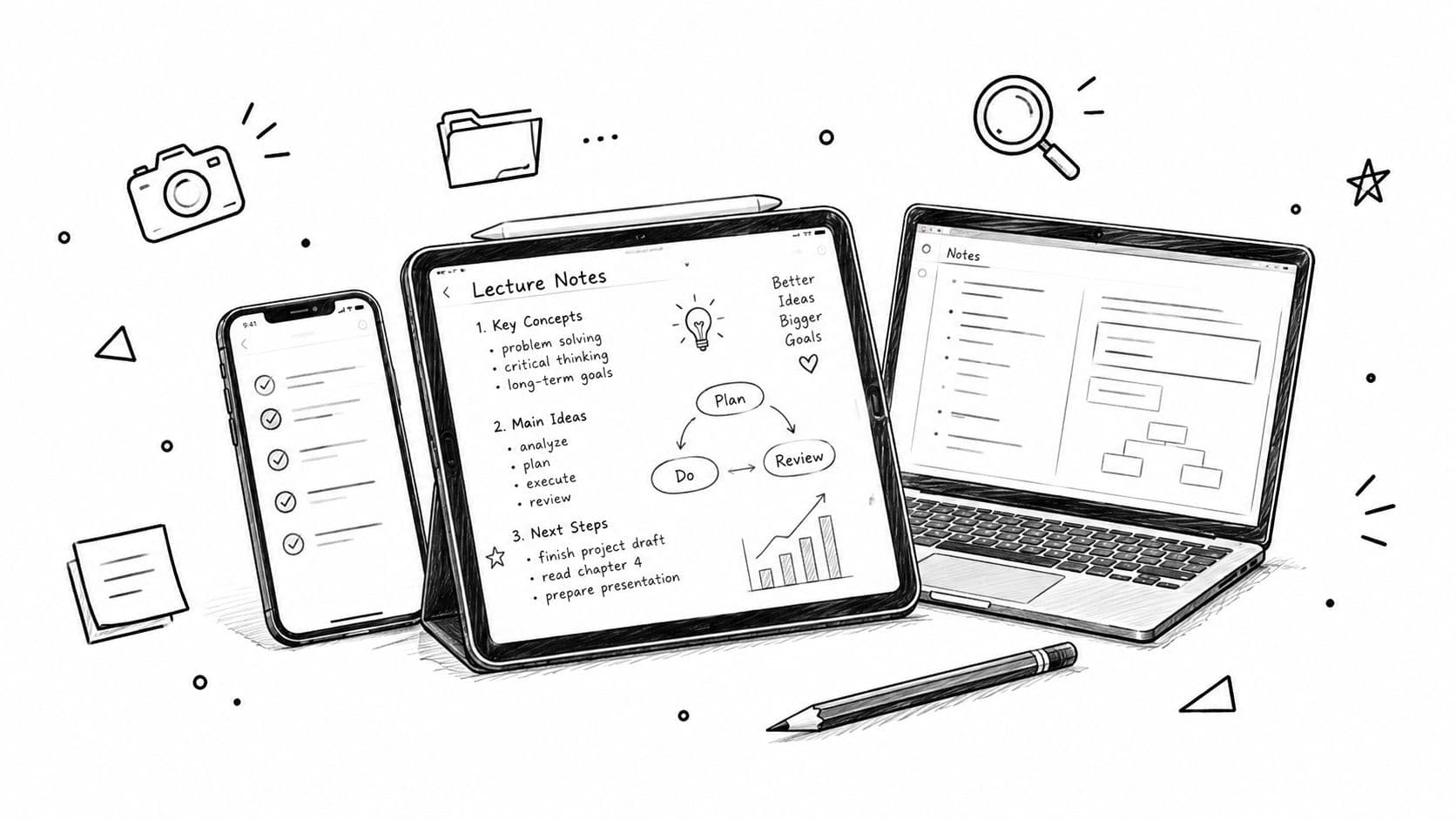
You've got lecture slides in one tab, a half-decent set of handwritten margins in another, and three voice memos on your phone that you swear you'll organize before exams. That's the classic student problem. The question isn't which app has the flashiest AI button, it's which system lets you capture, organize, retrieve, and revise without turning your notes into a junk drawer.
Why Feature Lists Don't Fix Fragmented Student Notes
Most app roundups obsess over handwriting, AI summaries, and syncing. That misses what usually breaks for students: fragmentation. Lecture notes on a laptop, annotations on a tablet, and quick reminders on a phone create a mess that looks organized during class and falls apart at revision time.
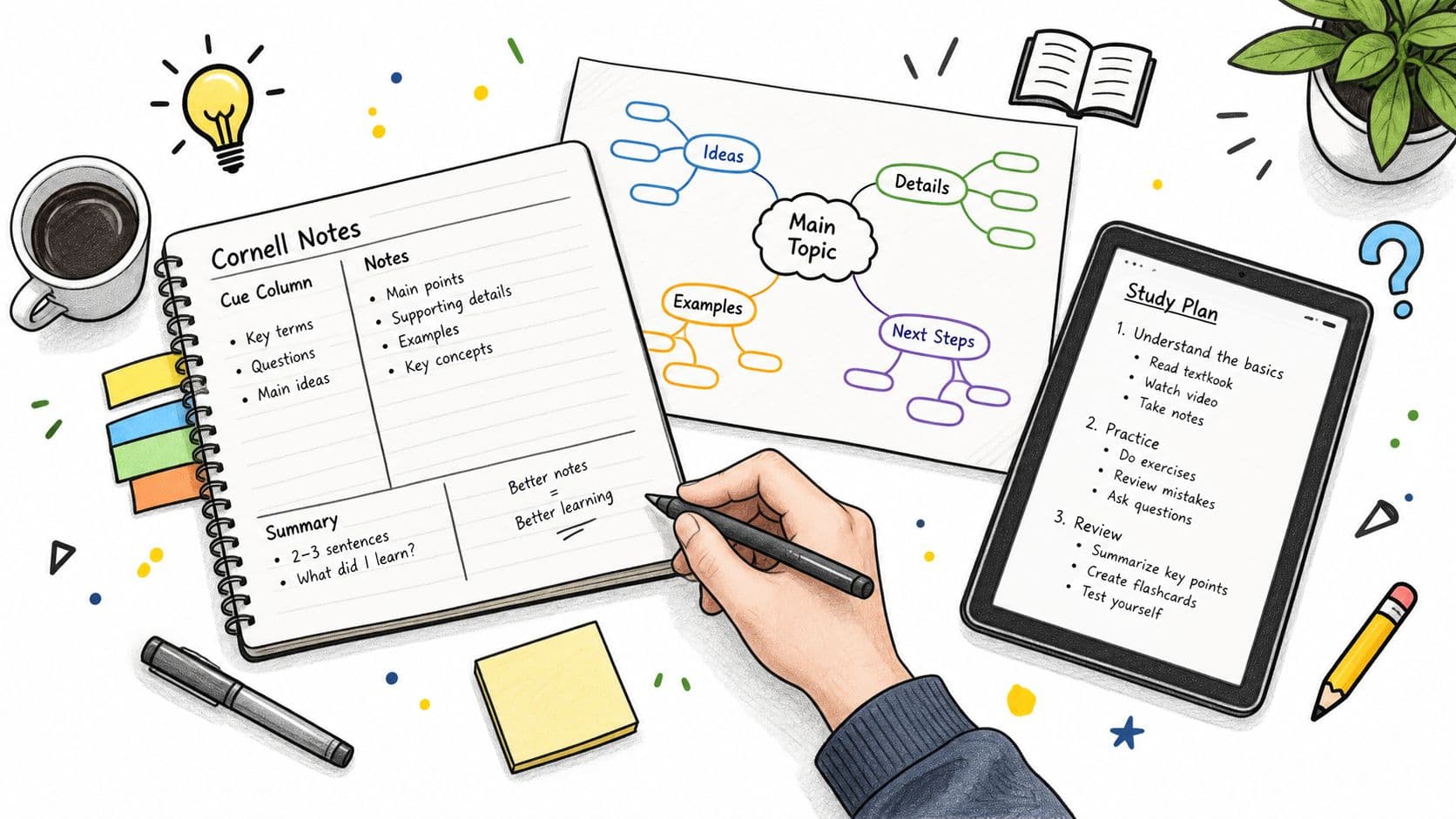
A better test is straightforward. Which workflow gets you from raw lecture input to study material you can revise from? Capture gets information in. Organize keeps it searchable and tied to the course. Retrieve helps you find the right idea fast. Revise turns notes into something you can quiz yourself on without rereading the source.
Practical rule: if an app makes you feel productive during the lecture but useless at revision time, it's the wrong app.
That is why no single tool wins for everyone. A neuroscience student dealing with lab slides, a philosophy student living in reading-heavy seminars, and an accounting student facing cumulative exams need different setups. Some need a handwriting-first notebook. Some need a structured workspace. Some should skip the app entirely and use a clean folder with a typed summary sheet.
Course type, device mix, and the way notes will be tested should decide the tool. A pretty interface does nothing if you cannot find the one definition you need two months later. The apps worth caring about are the ones that cut friction in class and make revision faster later.
What Recent Research Says About How Students Take Notes
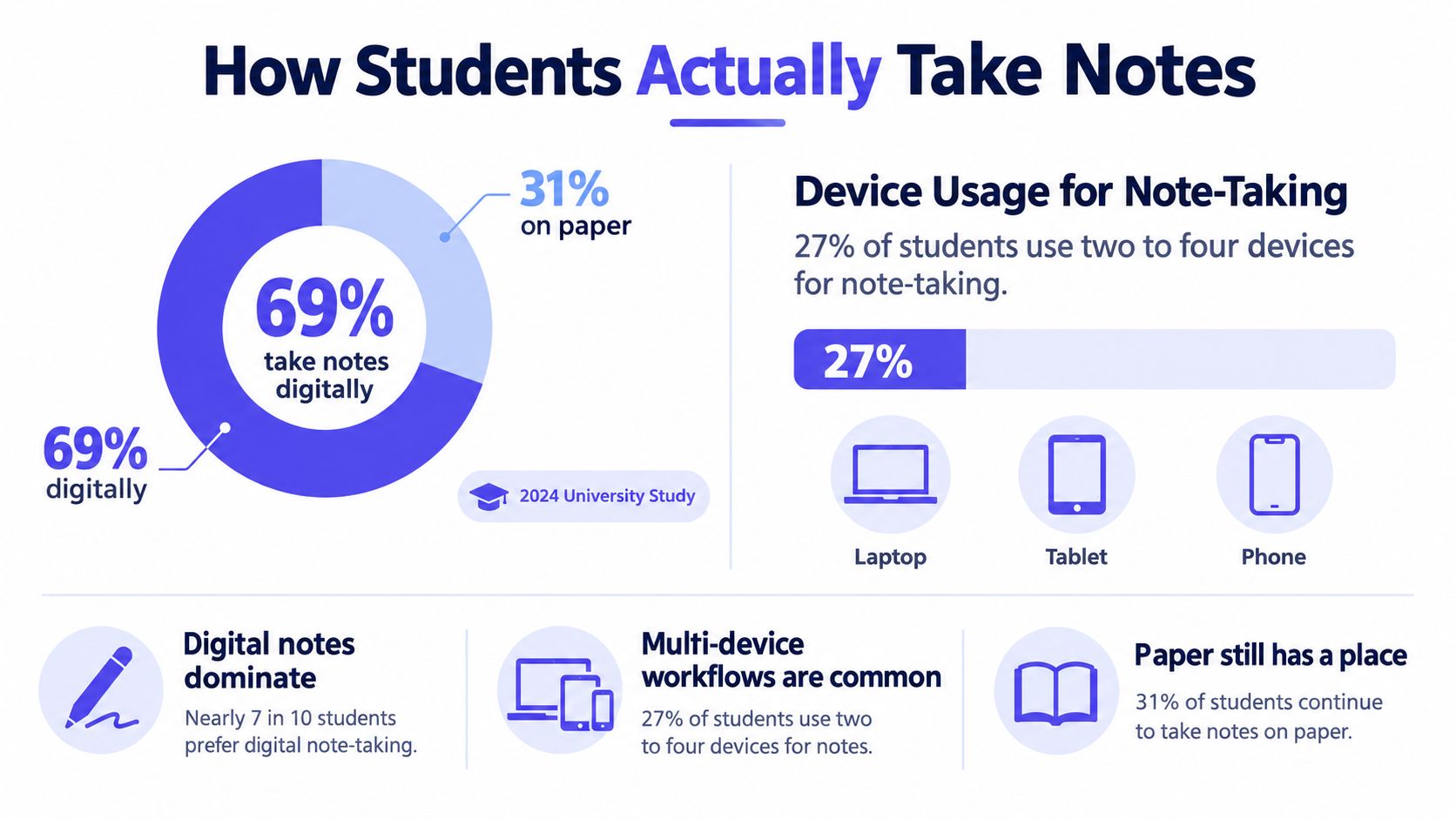
A recent university study gives a more realistic picture than feature lists ever do. Researchers collected questionnaire responses from 123 undergraduate and postgraduate students, plus four focus groups with 17 more participants, between January and May 2022. In that sample, 94% of respondents took notes during lectures, and 69% used digital methods. Digital note-taking is already the default for many students, not some future upgrade. Read the university study on digital note-taking (opens in a new tab)
The same study found 73% used one device for all note-taking, while 27% used between two and four devices. That matters because the right app has to handle movement between devices without wrecking your system. Laptops were the most common digital device, followed by tablets and styluses, so a serious student setup needs to support typing, handwriting, and sync, not just one input style. CramShare's note-taking research summary makes the same point from a practical angle, focusing on how students work instead of how apps market themselves.
Another useful benchmark comes from the 2025 student survey data. 78% said handwriting helps them retain information, 81% said active note-taking improves understanding more than relying on recordings or transcripts, and only 13% wanted AI to write notes for them. At the same time, 47% were happy for AI to organize notes. The split is the point. Students want help with structure, not a tool that replaces thinking. Survey summary on student study habits (opens in a new tab)
The bar for a good app is higher than “can it transcribe?” If an app pushes you toward passive copying, it is probably hurting your learning. The stronger student setup supports active summaries, tagging, annotation, collaboration, review, and retrieval. If it does not help you turn class material into study material, it is just a prettier dumping ground.
The Four Apps Worth Comparing and How They Stack Up
Here's the blunt version. The best note taking apps for students are the ones that fit the way you study, not the ones with the longest feature page.
Notion works when your notes need to live beside assignments, reading lists, and project pages. It's the right call for students who like a clean system with linked pages and don't mind building structure as they go. The weakness is obvious, it's not the easiest choice for fast in-lecture handwriting or messy paper-style thinking.
OneNote is the blunt instrument that works. If you want free cross-platform capture, notebook-style folders, and room for typing plus handwriting, it gets the job done without demanding a complicated setup. It's a strong default for students who move between a laptop and a tablet all week.
Obsidian is for students who care about long-term notes more than pretty dashboards. It's strongest when you want local control, backlinks, and a personal knowledge base that can grow across modules and degrees. The tradeoff is setup friction, which is fine for power users and annoying for everyone else.
Apple Notes is the no-drama option. If you live on iPhone and Mac, it's fast, simple, and hard to mess up. The limit is depth, because simple capture is its superpower, but deeper revision systems are where it starts to feel thin.
Google Docs is the shared-class option. It shines when you and a study group need one live document that everyone can edit during or after the lecture. It's weaker as a personal revision system, so I'd only rely on it when collaboration matters more than structure.
Evernote still earns a spot if your workflow is built around clipping web pages, forwarding emails, and storing reference material you'll need to search later. It's more of an information bucket than a study architecture. That means it's useful, but only if you're disciplined.
GoodNotes is the obvious pick for handwriting-heavy students, especially on a tablet. It's strong for annotating PDFs, writing equations, and keeping lecture slides in the same place as your notes. It loses points when you need deep cross-note linking or a text-first study system.
Students looking for course-specific lecture notes and revision material can also use CramShare as a companion source, since it's organized around institution, course code, module, textbook, and academic year rather than broad subject buckets.
Matching the App to Your Course and Study Style
A STEM student with equations, diagrams, and problem sets should stop forcing everything into a plain text app. GoodNotes or OneNote fits better because handwriting and PDF annotation match the work. If you also need typed structure, pair that with a simple text workflow, but do not bury equations in a system that treats diagrams like an afterthought. Before you lock in a layout, see how to structure notes for different course types at note-taking layout guide.
If you solve problems by writing them out, your note system has to respect that. Otherwise, you end up recreating the whole page later, and that wastes time.
A humanities student has the opposite problem. The notes are usually reading-heavy, sprawling, and full of references that need to stay connected. Notion or Obsidian fits that much better because linked pages and source capture help you track themes across essays, seminars, and reading lists. Google Docs can still work if your seminar group shares one live outline, but I would not keep a semester of independent thinking there.
A medical, law, or accounting student needs revision systems more than pretty capture. The notes have to survive repeated review, and these subjects punish weak recall. A structured app plus active review wins here, because passive notes do not stick when the course is cumulative and the exams are relentless. Review what you wrote the same day, then again later, instead of assuming the notes themselves will do the studying for you.

The device-mix rule is simple. If you only own one device, keep the setup basic because overengineering just creates excuses. If you own two or more, sync quality becomes the deciding factor, because the point is moving from lecture hall to library to home without breaking your notes.
Why Your Notes Still Need a Course-Specific Check
Clean notes can still be wrong notes. A folder may look tidy and still miss what your lecturer expects you to know. Organization inside the app helps, but it does not replace course alignment.
Students already know this in practice. Many avoid reviewing notes once they become messy, and many say searchable, digitally organized notes matter to their workflow. The problem is not just neatness, it is whether the structure matches the class itself.
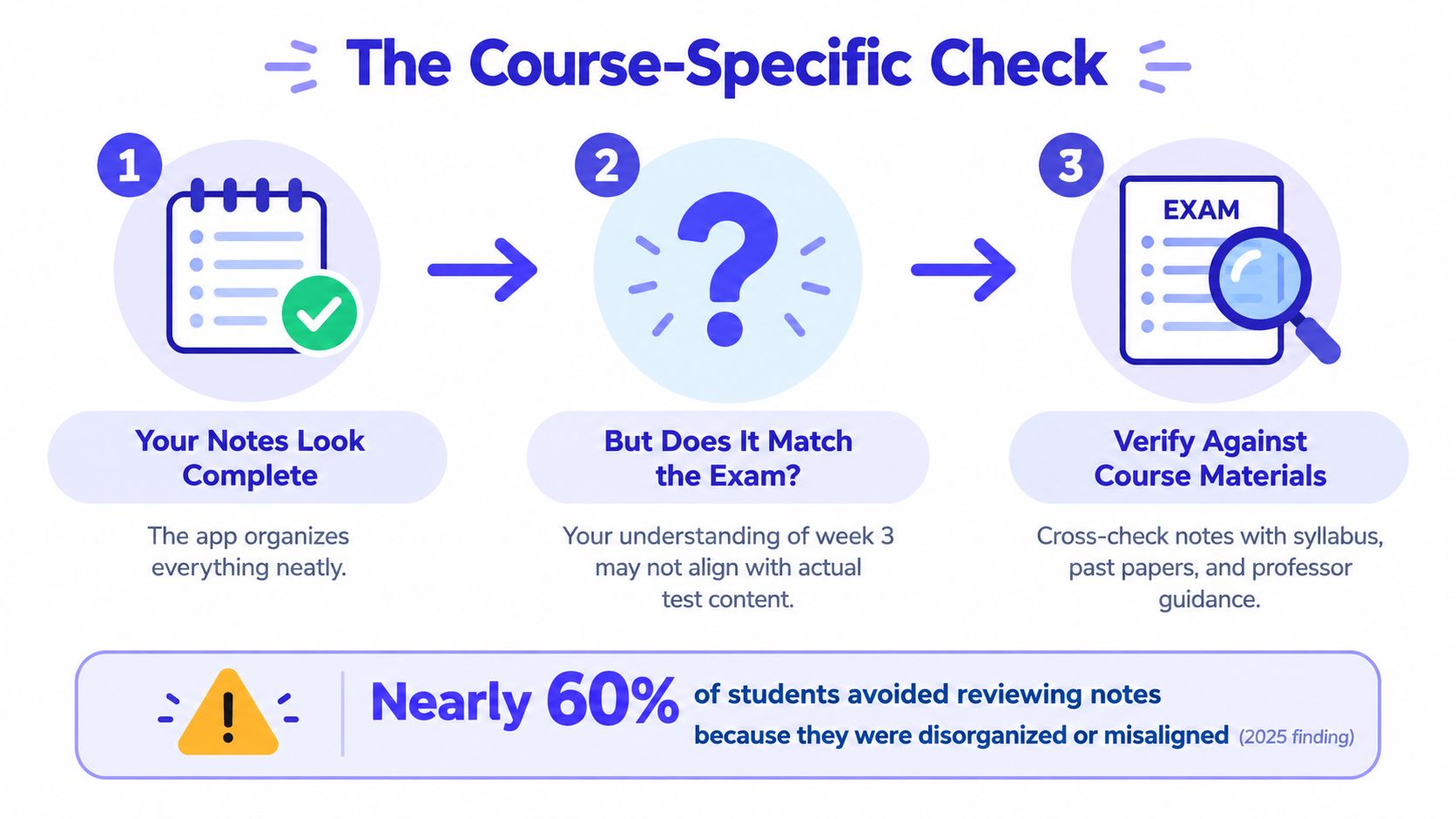
Check your notes against the exact course, not a vague subject summary. Match the institution, course code, module, textbook, and academic year, then compare your notes with lecture materials, past papers, and professor guidance. A strong summary of economics or anatomy can still miss the mark for your specific class.
Students often stop after tidying. They feel better, but they never confirm whether week 3 lines up with the exam content. Course-specific resources close that gap because they show whether your personal understanding matches the actual assessment standard.
CramShare's course-matched study notes fit that check well because the focus is precise course matching, not broad categories. If your notes are generic and your exam is specific, that mismatch is where marks disappear.
When the Best Note System Is Not an App at All
Sometimes the smartest answer is boring. If your course is heavy on math, diagrams, or rough working, a paper notebook plus typed summary sheets can beat a fancy app because handwriting is faster in the moment. The same is true if the textbook already provides a clear structure and you don't need a digital layer to hold everything together.
Students with unreliable internet should also think twice before building their whole system around cloud syncing. An offline notebook and a simple folder of typed summaries will keep working when the connection doesn't. That's not glamorous, but it's reliable, and reliability matters when a deadline is close.
Too many organizing options can be a trap too. If you're the kind of student who spends more time picking templates than revising content, a single Word document per module is often better than a polished app you never use. The point is not to build a perfect archive, it's to get material you can study from.
The hybrid setup is usually the strongest compromise. Handwrite lecture capture during class, then type a summary the same day into one simple folder per course. That gives you the speed of handwriting and the searchability of digital text, without forcing you to maintain a system so complex that you stop using it.
Choosing Your Stack and Auditing It This Week
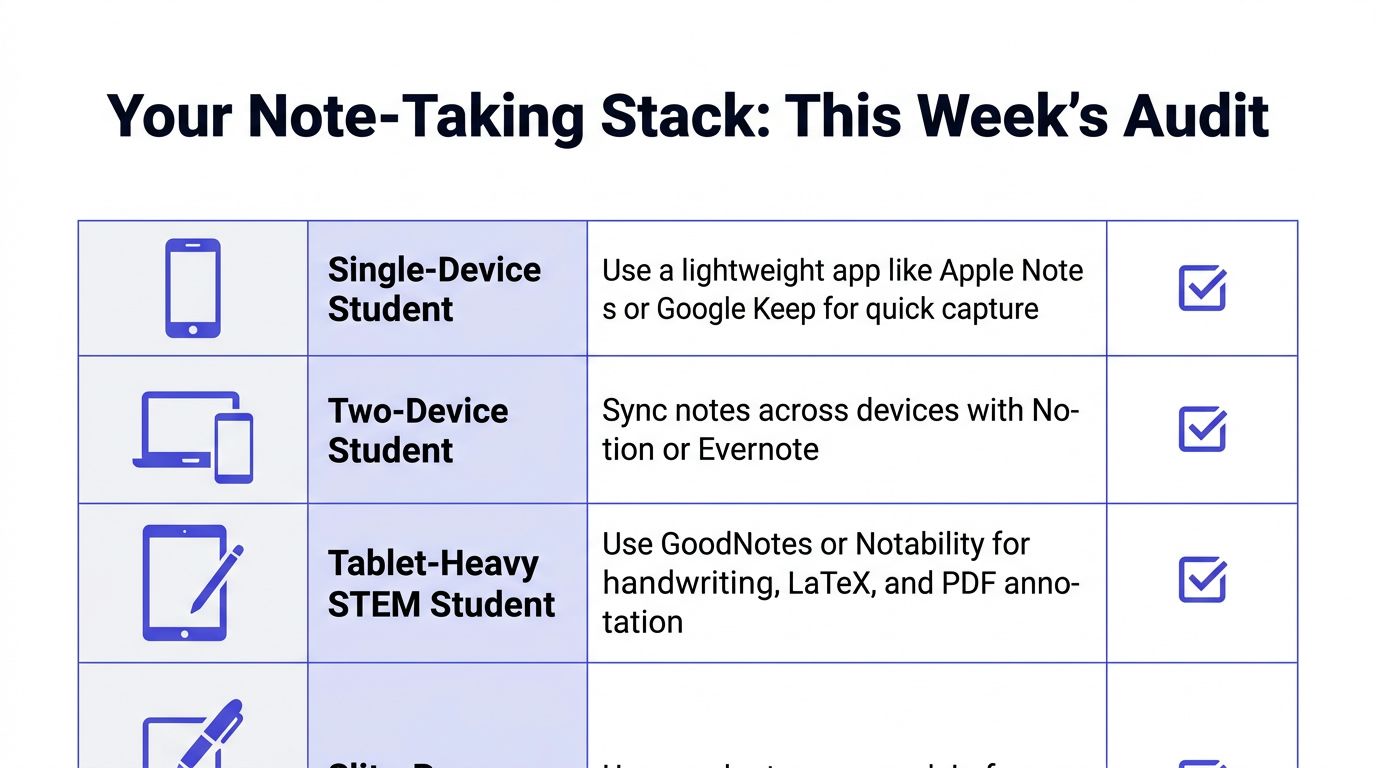
If you want the fastest honest audit, ask yourself three things. Can I find last week's notes in under thirty seconds? Can I revise from my notes without reopening the source every time? Do my notes match the course code and textbook I'm being tested on?
If the answer to any of those is no, your system is the problem, not your discipline. Tighten the workflow before you chase another app. Pair the app you choose with course-matched materials organized by institution, course code, module, textbook, and academic year, then use that setup to verify what you think you know against what the class is testing.
CramShare exists for the part students usually skip, the course-specific stuff that shows whether your notes are aligned with your module, not just neatly stored. If you want to compare your own notes against lecture notes, summaries, and past papers tied to the exact course you're taking, visit CramShare and use it as the checkpoint before exam season turns messy.